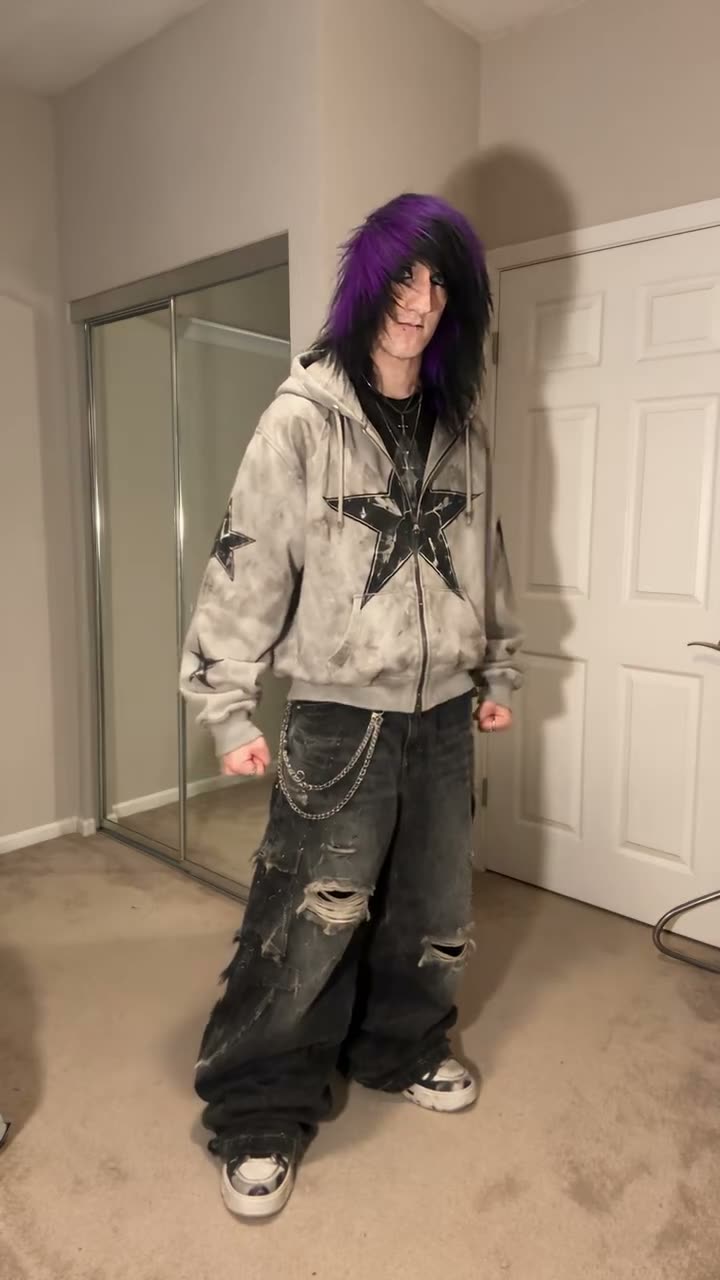
01What happens in the Hero Funk Head Bop trend
The clip starts with a dancer standing alone in a room. Small head nods build into a low stance, a raised fist and a hop toward the camera. The open palm looks much bigger than it did at the start because the dancer brings it close to the lens.
The camera stays in place throughout the routine. The doorway and floor give you a reference for how far the dancer moves. The same framing makes the move readable when the dancer drops low and then comes forward.
Watch the reference once before choosing your photo. Notice when the hands sit near the chest, when they separate and when a hand comes forward. Those changes do the work of a cut even though the camera never changes position.
| Time | Beat |
|---|---|
| Shot 1 | Stand upright and nod in place. |
| Shot 2 | Drop into a wide crouch with both fists raised. |
| Shot 3 | Lift a fist and hop toward the camera. |
| Shot 4 | Extend a palm, then shrug and finish the poses. |
02How to make the Hero Funk Head Bop AI video from one photo
If you are doing this on your phone, the creation form runs in the browser. Open the trend page again if you want to compare the original timing after reviewing your result.
- Open the trend pageWatch the reference and check the crouch and hop. The person you add will be the lead in that same fixed-room routine.
- Press Create your ownThe trend page opens the matching creator. The photo field is for the lead dancer, so you only need to prepare one image.
- Add your photoUpload a clear full-body photo of one adult and confirm you have permission to use it. Check that you can see the face, both shoes and the space around the arms before continuing.
- Choose a resolution and make the videoStandard 480p costs 692 credits and HD 720p costs 990 credits. The button shows the exact charge before you spend. Tap Make my video after choosing your resolution.
- Download the finished clipThe vertical video is silent. Watch the whole routine before you download so you can check the lead’s face, the step forward and whether the finish reads clearly.
03The photo that works
Choose an adult photo with enough space around the figure to see their outline. A close selfie gives you a face, but a full-body photo also shows the arms and legs used for the wide stance.
Use the photo check to catch problems that show up as soon as the person moves. If the shoes are cut off or the face is lost in shadow, pick another photo before spending credits.
If the output looks crowded, go back to the same template and use a full-body image with more space around the adult. If the face looks soft, change the source photo to a sharper one with more even light.
- Use one person in the frame.
- Keep the face clear of hands or hair.
- Show both shoes, arms and legs.
- Choose a sharp, evenly lit photo.
04The Hero Funk Head Bop AI prompt
AI Trend Club already uses the clip to guide the movement, so there is no prompt to write on the creation page. For a video model that accepts a reference photo and gives you a text field, this is a starting prompt.
The order matters because the move toward the camera has more effect after the quiet opening. Keep the room and camera steady from the opening nod through the last pose.
Use the person in the reference photo as the sole dancer in a plain room. Keep the camera fixed and frame the full body at the start. Begin with short head nods, then drop into a wide crouch with both fists up. Raise one fist, hop toward the lens and bring an open palm forward. Follow with a small shrug and finish the closing poses in the same spot. Preserve the same person and indoor lighting across the clip. Keep the output silent.05CapCut template or AI video?
A CapCut template can help if you already filmed yourself performing the routine. It lets you trim the recording and line up the move toward the camera with a beat. The AI template casts the adult from your photo as the lead in the reference scene.
The AI download is silent. If you want to edit it in CapCut, check where the crouch, hop and open palm start before placing sound or a short caption. You can also choose a sound in TikTok when you post.
06Is the Hero Funk Head Bop AI video free?
Watching the reference and reading the trend page is free. A new account gets 25 welcome credits, which cover a few images. Video generation requires more credits than that.
The Week pass covers the standard version. The HD version uses more credits than the Week pass alone includes, so check the button and choose a balance that covers the resolution you want. Credits come back automatically if a video render fails.
| Option | Price | Credits |
|---|---|---|
| Week pass | $6.99 | 800 |
| 1,000 credits | $9.90 | 1,000 |
07Post it
Credit @john_stockman for the reference version. If you add a sound, listen to how the beat lines up with the drop into the crouch and the hop toward the lens. Keep the palm and face clear of any text you add.
- A small room with a big finish.
- Hold that thought.
- The head nod was just the warmup.
08Questions
- Who posted the reference?
- The clip on the trend page is a version posted by @john_stockman on TikTok. The original-post link opens that version.
- Can I make the dance on my phone?
- Yes. Open the trend page in your browser, choose Create your own and upload your full-body photo.
- Does the AI video include the trend sound?
- The download is silent. You can choose sound in TikTok or add it in CapCut after downloading.
- Is there an AI template for the dance?
- Yes. The trend’s creator uses the fixed camera and routine from the reference. Add one adult photo to take the lead.