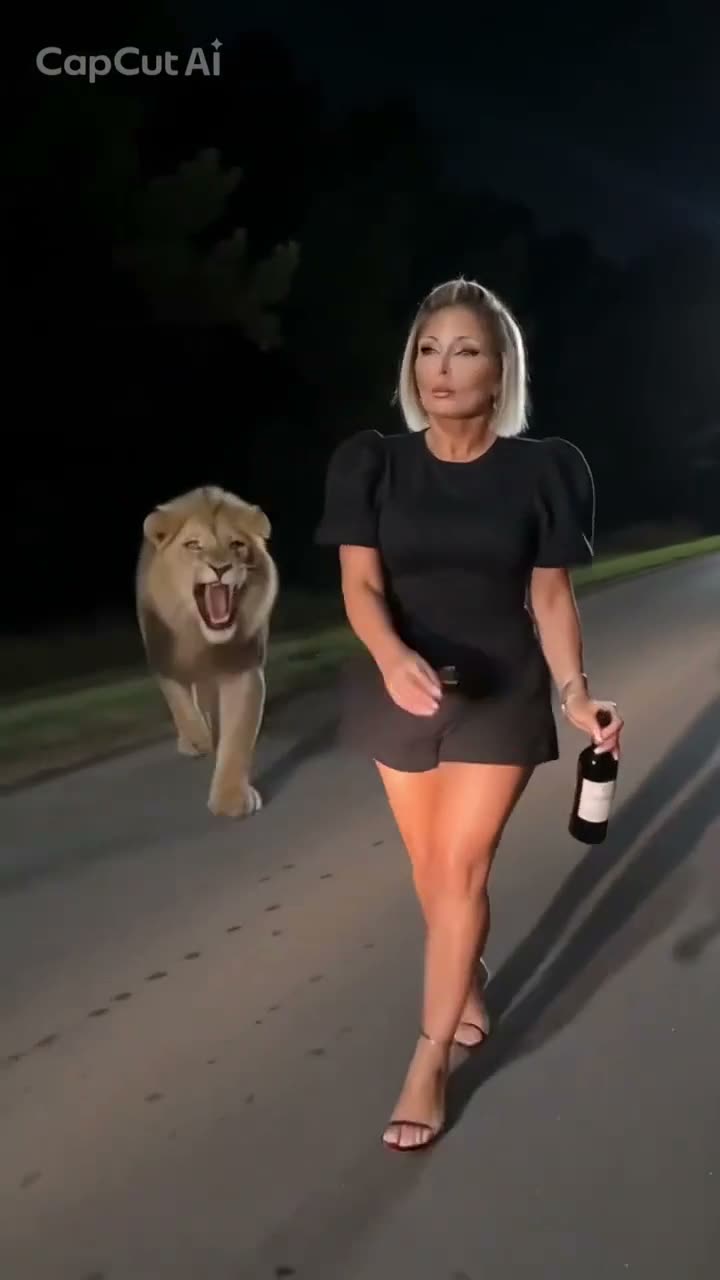
01What happens in the Riding Lion trend
The clip takes place on a dark road. A lion walks toward the camera, then the video cuts between two women who approach and ride it in separate shots. This page uses the seven-second riding excerpt, which keeps the action in view without the later phone-screen tutorial.
The AI Trend Club version uses two distinct adult portraits, one for each rider appearance. The photos take the rider roles across the separate cuts while the same lion, night road and camera movement come from the linked reference. The two people do not ride together in the source.
| Time | Beat |
|---|---|
| Shot 1 | A lion walks along the dark road as the first woman approaches. |
| Shot 2 | She climbs onto the lion and rides toward the camera. |
| Shot 3 | A cut shows a second woman walking beside the lion. |
| Shot 4 | The second woman takes her turn riding it. |
02How to make the Riding Lion AI video from two photos
- Open the trend pageGo to the Riding Lion page on AI Trend Club. You can watch the muted source excerpt before starting. It shows the two rider roles used by this setup.
- Add two portraitsPress Create your own. Upload two different adult portraits, one for the first rider appearance and one for the second. Confirm that you have permission to use both photos.
- Check the sceneThe seven-second vertical reference supplies the lion, road, night lighting and quick cuts. The page is already configured for this scene, so there is no prompt to write.
- Choose a resolutionOne video uses 323 credits at 480p or 726 credits at 720p. The button shows the exact credit cost before you start the render.
- Make and downloadTap Make my video and wait for the result. The finished video stays private to your account. Download it with the trend sound or choose the silent version for adding audio later.
03The photos that work
Each photo belongs to a different rider role. The source cuts from one person to another, so the page asks for two separate portraits instead of one group image.
- Use two distinct adult portraits, one per rider role.
- Choose a clear face that is easy to see.
- Keep one person in each image.
- Use photos you have permission to use.
- Avoid dark or blurry portraits.
- Do not upload the same person twice for this two-role setup.
04The Riding Lion AI prompt
You do not need a prompt on AI Trend Club. If you want to try another video model that accepts a reference clip and two image inputs, you can start with this description and adjust it to that model's controls.
Use the reference video as the sole source for the scene and timing. The person in the first reference photo replaces the first rider, who approaches the lion and climbs onto its back. The person in the second reference photo replaces the different rider in the next cut. Keep their faces, hair and skin tone distinct and consistent in their own shots. Do not place them together. Preserve the same lion, dark roadside, night lighting, camera framing, roars and movement. Keep the cuts in order and add no extra people, text, logos or watermark.05CapCut template or AI video?
A CapCut template can arrange video clips you record or select. It does not place your two portraits into the linked lion scene. The AI video setup edits the reference footage so each uploaded portrait takes one of the rider roles across the separate cuts.
The generated clip can be downloaded with the trend sound or silently. If you choose the silent version, add the sound in the social app where you share it. Keep the result labeled as an AI remake and credit the original creator in your caption.
06Is the Riding Lion AI video free?
Watching the original and opening the trend page do not use video credits. A new account receives 25 welcome credits, enough for a few images but not this video. A Riding Lion render costs 323 credits at 480p or 726 credits at 720p. A failed video returns its credits automatically.
The lowest listed payment option is the Week pass at $6.99 for 800 credits. A 1,000-credit pack is another option at $9.90. Check the total on the Make my video button before starting, since resolution changes the number of credits used.
| Option | Price | Credits |
|---|---|---|
| Week pass | $6.99 per week | 800 |
| 1,000-credit pack | $9.90 | 1,000 |
07Post it
If you share your result, add the trend sound if you downloaded the silent version. Credit @po94275, link back to the original post, and say that your clip is an AI remake. The forest-path ride-a-tiger version is a related variation; this page follows the night-road lion post and stays separate from the CCTV Tiger Fight trend.
- A night walk took an unexpected turn.
- Two riders, one lion, one dark road.
- Taking the long way home tonight.
08Questions
- Is there a Riding Lion AI template?
- AI Trend Club has a reference-guided video setup for the linked night-road clip. Add two photos, one for each rider appearance; you do not need to write a prompt.
- Which AI makes the Riding Lion video?
- It uses an AI video model guided by the original clip. The two photo roles and the scene are configured on the trend page.
- Can I make the video on my phone?
- The page works in a browser, so there is no app to install.
- How much does the Riding Lion AI video cost?
- It uses 323 credits at 480p or 726 credits at 720p. The Week pass costs $6.99 for 800 credits; a 1,000-credit pack costs $9.90.
- Who made the original Riding Lion clip?
- @po94275 posted the linked TikTok on Nov 13, 2026. We link to the original post above.