01What the Kids Drawing to Life AI trend shows
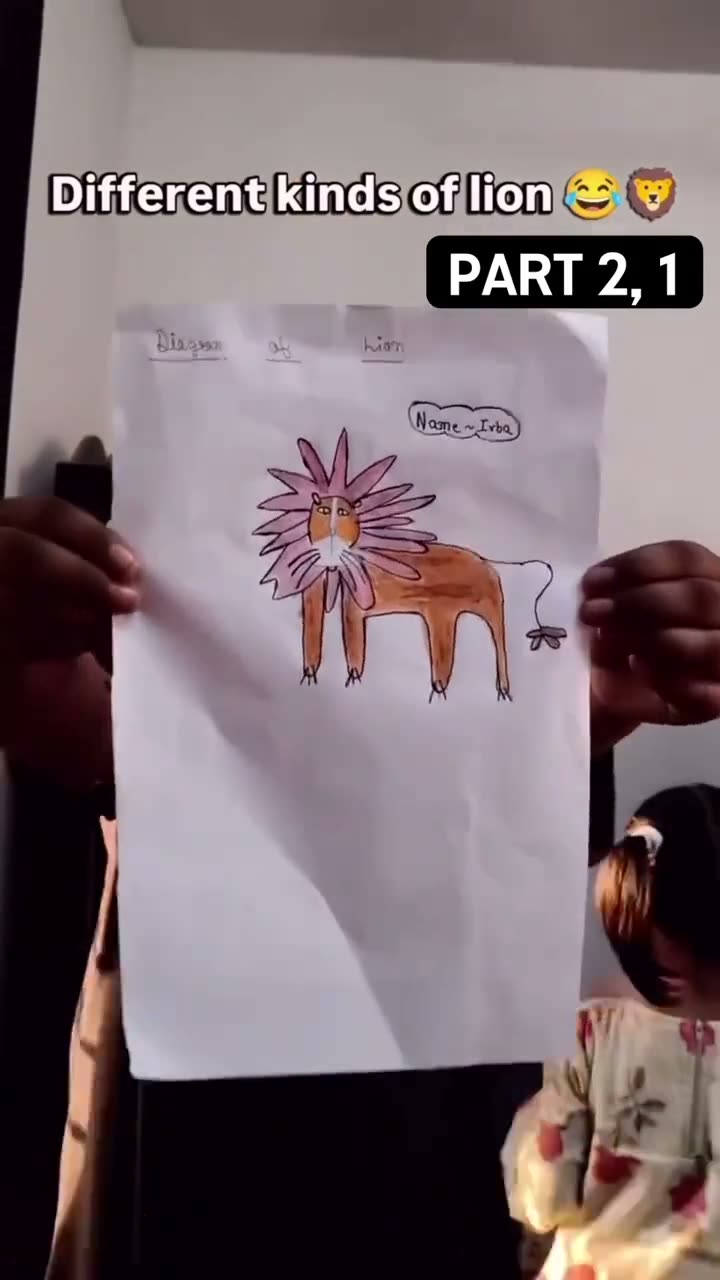
The reference begins with an animal drawing on paper, then shows a realistic-looking interpretation that carries over its pose and shape. The TikTok example was posted by @happylily86 on October 31, 2026. Its caption credits the original drawings and videos to @_penguin8__ and the transformations to HappyLily. The post had 2.7M views when checked on Nov 12, 2026, a dated count rather than a forecast.
This page offers an image edit from one photo or scan of a drawing. It returns a still image, not an animation. The linked post is an example of the format and does not establish who first made it. No sample image was generated or reviewed for this page, so check the output before you save or share it.
| Time | Beat |
|---|---|
| Shot 1 | A hand-drawn animal appears on paper. |
| Shot 2 | A realistic interpretation keeps the sketch’s pose and shape. |
| Shot 3 | The finished still places the friendly creature in a natural setting. |
02How to make a Kids Drawing to Life AI photo from one drawing
Start from the trend page so the edit prompt is already in the image editor. You can read and change the prompt before you submit the image.
- Open the photo trendGo to the Kids Drawing to Life page and choose Edit your photo.
- Add one drawingUpload a clear photo or scan of a drawing that you own or have permission to edit. Do not add a child’s portrait or personal information.
- Review the promptThe editor fills in a prompt that asks for a realistic interpretation of the same creature. Read it and adjust the details you want to preserve.
- Check the price and submitThe image edit uses 5 credits. Confirm the shown price in the editor before sending the request.
- Review the still imageCheck whether the creature still follows the drawing’s silhouette, pose and colors. Save or share it only after you have reviewed the result.
03The drawing photo that works
Give the editor the whole sketch so it can read the lines that make the creature recognizable. Use only artwork that you own or are allowed to edit.
- Photograph the full page in bright, even light
- Keep the drawing flat and hold the camera directly above it
- Make sure the whole sketch stays inside the frame
- Avoid blur, glare, shadows and fingers over important lines
- Keep names, school details and other private information out of the image
04The included Kids Drawing to Life AI prompt
You do not need to invent a prompt on the trend page. The editor starts with an instruction that keeps the drawing’s main features and makes one friendly image. Review the words before you send them.
Edit the uploaded hand-drawn picture into one friendly, realistic 3D interpretation of the same creature. Preserve the drawing’s main silhouette, pose, colors, and distinctive details so it is still recognizable as the child’s original idea. Place it in a simple natural setting with soft daylight and believable materials. Keep the result warm and age-appropriate. Do not add real children, extra characters, text, logos, or a watermark.05A still image is not an animation
The original example is a video, but the tool on this page makes one still image. The photo editor changes the uploaded picture according to the prompt. It does not create a moving clip or animate the lines on the page.
The wording asks the model to preserve the sketch’s silhouette, pose, colors and distinctive details. That is guidance, not a guarantee that each line will match. If the result changes the creature too much, simplify the prompt and focus it on the details already visible in the drawing. If the drawing is hard to read, a brighter photo with the whole page in frame may help.
06Is the drawing edit free?
You can read the page and open the linked reference without using image credits. Submitting an edit costs 5 credits per image, and the editor shows the charge before you submit. A new account receives 25 welcome credits. If you have not spent them elsewhere, that amount covers five image edits.
If you need more credits, the current 1,000-credit pack costs $9.90. You do not need to buy it to review the trend page or prompt. Check the available balance and price in the editor before creating the image.
| Option | Price | Credits |
|---|---|---|
| New account welcome credits | No purchase | 25 |
| 1,000 credits | $9.90 | 1,000 |
07Review it before you share
Look at the creature, shape and color details before you save the still image. Use a drawing you own or have permission to edit, and do not include a child’s portrait or personal details. If you discuss the reference post, credit @happylily86 and note that its caption credits the drawings and videos to @_penguin8__. That keeps the source roles clear.
- Check that the final creature still reflects the drawing
- Leave school names and identifying details out
- Credit the linked reference when you describe it
08Questions
- Does this page make an animated video?
- No. It edits one drawing into a still image. It does not animate the picture.
- How do I turn a drawing into a realistic image?
- Open the trend page, choose Edit your photo, add a permitted drawing, review the included prompt and submit the edit.
- Will the edit preserve every line?
- No exact match is guaranteed. The prompt asks the model to keep the pose, silhouette and colors, but review the result.
- How many credits does one image use?
- One image edit uses 5 credits. A new account receives 25 welcome credits, enough for five edits if none were spent elsewhere.
- Who made the reference post?
- The TikTok post is by @happylily86. Its caption credits the drawings and videos to @_penguin8__ and the transformations to HappyLily.