01What happens in the Christmas Photobooth trend
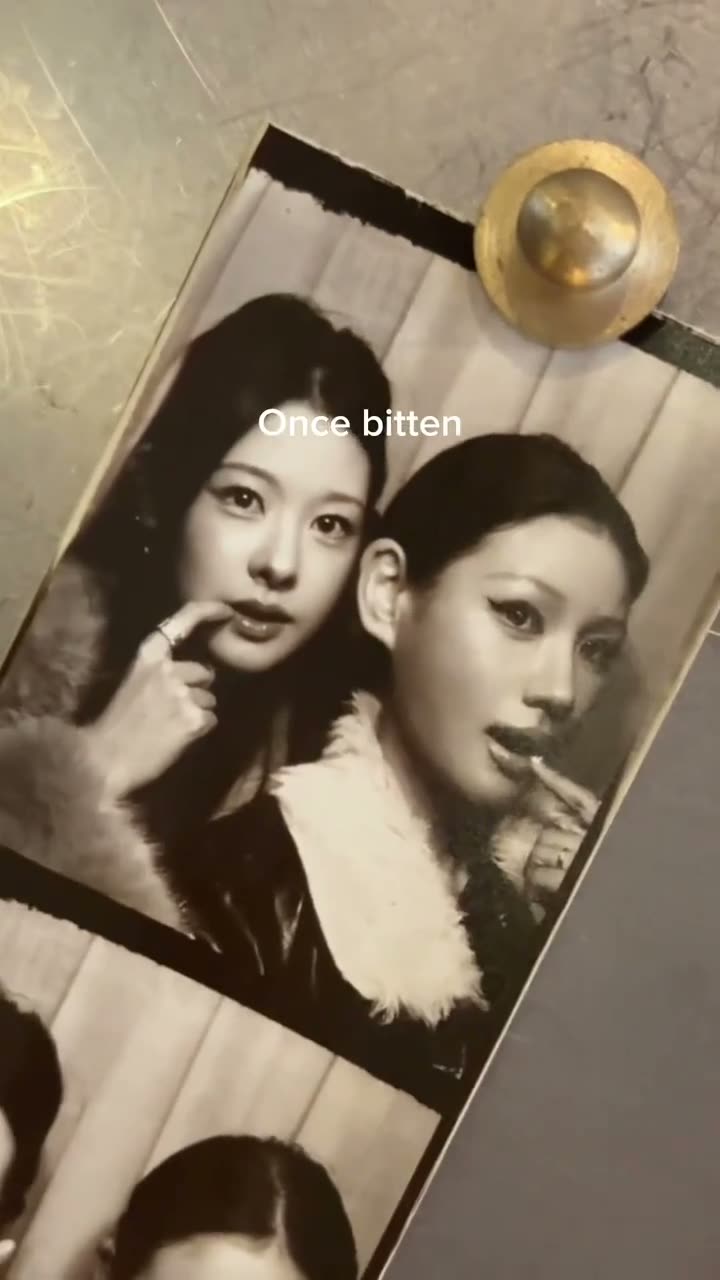
The Christmas Photobooth trend turns a photo strip into a moving portrait. Two people share the frame, then change pose as the strip tilts and moves. This original is a 15-second vertical clip, and the version on AI Trend Club is silent.
The photo strip is the main idea: several close portraits appear in sequence, as if the printed images have started to move. Here is the original sequence in order.
| Time | Beat |
|---|---|
| Shot 1 | Two people pose close together in the first photobooth frame. |
| Shot 2 | They turn toward one another in the next panel. |
| Shot 3 | The pair lean in for another close portrait pose. |
| Shot 4 | The strip moves to a final smiling pose. |
02How to make the Christmas Photobooth AI video from two photos
Start on the Christmas Photobooth trend page. The source clip supplies the photobooth setting and the pose sequence, so you do not need to recreate the room or write a video prompt. You add two photos because the original has two lead roles.
- Open the trend pageWatch the original clip and decide whether its four-pose strip fits your idea. You can watch the original and review the page without paying.
- Choose Create your ownThis opens the video flow for the Christmas Photobooth reference. The page keeps both people in separate roles, so the choice of photos comes next.
- Add two adult photosChoose a different adult photo for each person. Assign one photo to the first role and the other photo to the second role. Confirm that you have permission to use both photos.
- Choose a resolutionA 480p video uses 692 credits. A 720p video uses 1,556 credits. The exact credit amount appears on the button before you spend anything.
- Make the videoTap Make my video and wait for it to finish. The site says a video is ready in a few minutes. A failed video returns its credits automatically. Download the silent result, then choose a sound in TikTok if you plan to share it with music.
03The photos that work
Treat the uploads as two separate roles. The first photo belongs to the person who begins on the left in the reference strip, and the second photo belongs to the other person. The original clip remains the guide for the four poses.
- Use two adult photos, with one person in each role.
- Choose a different photo for each person.
- Use photos that you have permission to upload.
- Keep the role assignments separate when you add the photos.
- Do not use photos of children for this trend.
04The Christmas Photobooth AI prompt
AI Trend Club uses the original clip and its own saved recipe, so there is no prompt to write on the site. If you want to try the idea in another video model that accepts reference photos and a reference clip, you can start with this scene description.
Create a short vertical video from a moving Christmas photobooth strip. Begin with two adults standing close together in the first portrait. Use the person in the reference photo for the role that starts on the left, and the person in the second reference photo for the role that starts on the right. Keep each person's face, hair, and skin tone consistent as the strip tilts through four close poses. Preserve the festive outfits, warm booth lighting, portrait framing, and gentle camera movement. Keep both people distinct. End on the final smiling pose. Do not add lyric captions, text, logos, or sound.05CapCut template or AI video?
A CapCut template can arrange video clips that you record or select. It does not put two reference photos into the original photobooth scene. An AI video uses the source clip as the setting and places your two photos in its lead roles.
The original reference on this page is silent. After downloading your result, you can add captions or choose a sound in CapCut. You can also choose a sound from TikTok's own library when you post. No artist name or song title is needed to explain the effect.
06Is the Christmas Photobooth AI video free?
Watching the source clip and reviewing the trend page are free. Making the video uses credits. A new account receives 25 welcome credits, which are enough for a few images but not enough for this video. One 480p video uses 692 credits, while one 720p video uses 1,556 credits. The page shows the exact credit cost before you spend, and a failed video returns its credits automatically.
The Week pass is the lowest-priced entry shown here. It costs $6.99 per week and includes 800 credits, which covers one standard 480p video. The separate 1,000-credit pack costs $9.90. A 720p video needs more credits than the Week pass includes, so check the balance and the amount shown on the button before choosing it.
| Option | Price | Credits |
|---|---|---|
| Week pass | $6.99 per week | 800 |
| 1,000 credits | $9.90 | 1,000 |
07Post it
The video is silent, so choose a sound from TikTok's library when you post if you want music. Credit the original creator as @fromliayoon and link to the source clip. Keep your caption focused on the moving photo strip and the two people in it.
- Four frames, one holiday memory.
- A moving photobooth moment for two.
- Our Christmas photo strip, in motion.
08Questions
- What is the Christmas Photobooth trend?
- It is a moving Christmas photo strip with two people posing through four close portraits.
- Is there a Christmas Photobooth AI template?
- The trend page provides the source clip and the saved photo roles. Add two adult photos, one for each person; there is no prompt to write on the site.
- Which AI makes the Christmas Photobooth video?
- It uses an AI video model guided by the original clip.
- Is the Christmas Photobooth video free?
- Watching the original and page is free, but making the video uses credits. A 480p video uses 692 credits and a 720p video uses 1,556 credits.
- Who made the original Christmas Photobooth clip?
- @fromliayoon posted it on TikTok on November 8, 2026. The trend page links to the original post.