01What happens in the Transmission 5 Dance trend
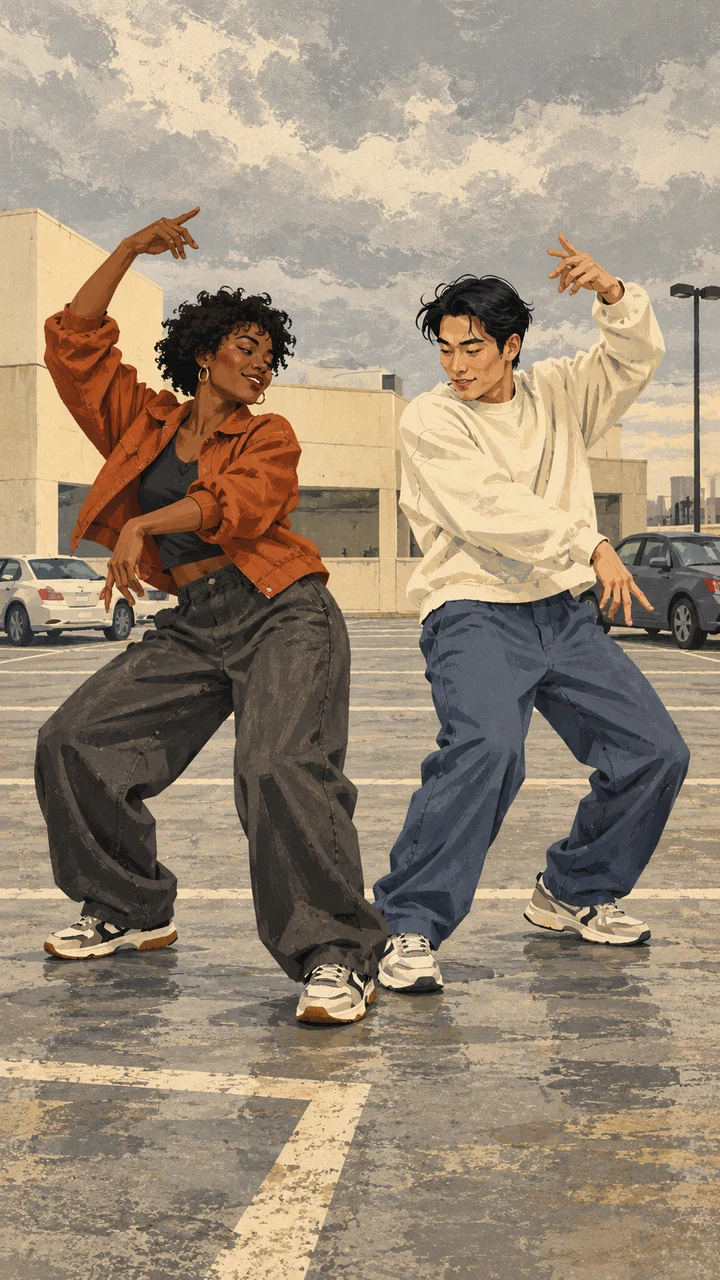
Two dancers move side by side in a gray parking lot, with parked cars and a pale building behind them. A low, fixed camera keeps their full bodies in view. The routine uses quick hand patterns, bent knees and coordinated steps. It is a continuous dance passage rather than a sequence of costume changes or new locations.
Our template uses a silent 15-second excerpt from the Instagram reel posted by @nikitaenc0re with @el_diablork. You supply a separate photo for each dancer. The illustration at the top of the trend page shows fictional people; it is not a finished video made with this template. The credited original excerpt and its still frames are farther down the page.
| Moment | Beat |
|---|---|
| Opening | Both dancers bend their knees and start the fast arm patterns. |
| Lower stance | Hands sweep across their bodies as their knees bend further. |
| Middle passage | The left dancer raises both hands while the right dancer crouches lower. |
| Closing passage | Coordinated steps and arm sweeps continue in the parking lot. |
02How to make it from two photos
This version casts both dancers. There is no single-photo option on this page, and the two uploads must be different photos. Decide who should appear on each side before starting. You can swap the roles in the form without uploading both files again.
- Open the templateGo to the Transmission 5 Dance trend page and press Create your own. The form runs in your browser. You do not need to install an editing app or enter a prompt.
- Choose the left dancerAdd a clear photo of the adult who should replace the dancer on the left. Use a photo with one person, an uncovered face and even light.
- Choose the right dancerAdd a different photo for the adult on the right. Check both previews and confirm that you have permission to use the photos. Use Swap roles if the pairing is reversed.
- Review the costThe current option is 480p for 692 credits. Read the total on Make my video before continuing. If your balance is too low, the existing plan or credit-pack options let you add credits.
- Check and downloadWhen the job finishes, review both faces and the fast hand movements. Download the silent vertical MP4. Add audio you have permission to use in your posting app.
03Choose photos with distinct faces
The model needs to keep two identities separate while both bodies are moving. Start with photos that make it clear who belongs in each role. A group shot gives the system more than one face to interpret, so use separate pictures instead.
- Use one adult per photo, with permission from both people.
- Choose a clear face in even light.
- A standing photo with the head and body visible gives a useful reference.
- Avoid sunglasses, covered faces, blur and heavy filters.
- Before generating, check that Left dancer and Right dancer contain the intended photos.
04A Transmission 5 Dance AI prompt
The template already supplies its choreography instructions. You do not paste the prompt below into AI Trend Club. If you are experimenting in another video tool that accepts a reference clip and separate identity photos, this is a starting description of the intended edit. Its result will depend on that tool and its settings.
Keep the identity instructions distinct from the movement instructions. The reference photos say who appears; the reference video says how each dancer moves. This template keeps the original outfits and setting. It does not promise to copy the clothes in your uploaded photos.
Use the reference video for a continuous parking lot dance with a fixed low camera. The adult in the first photo replaces the left dancer, and the adult in the second photo replaces the right dancer. Keep their identities separate throughout the arm patterns, low knee bends and coordinated steps. Preserve the original outfits, parked cars, pale building and background pedestrians. Follow each dancer’s original position and timing, including the lower crouch on the right. Keep natural anatomy. Produce a silent video without added text or watermarks.05Choosing a template or editing app
If you already filmed yourself dancing, an editor can help you trim the recording, add captions and choose audio. The workflow on this page starts from still photos instead. It uses the original dance as a movement reference to put two different people into the scene.
An app or page using the same trend name may offer a different workflow. Check whether it needs a video, a single photo or separate photos, and whether export costs credits. We have not tested a free export from another service for this guide, so we cannot promise that a particular competing template is free.
You can use CapCut or another editor after downloading your silent result. Add your own captions and permitted sound there. The tune associated with the trend has not been independently verified here, and the download does not include it.
06Is the Transmission 5 Dance AI video free?
Reading this guide and watching the reference excerpt are free. Generating the video uses 692 credits. New accounts receive 25 welcome credits, enough to try a few images but not enough for this video. The amount appears before you start, so check the button rather than assuming the welcome balance covers it.
The Week pass is a one-time $6.99 payment for 800 credits during its weekly period. It does not renew automatically. The separate credit pack is also a one-time purchase, and its credits do not expire. Choose based on whether you want a time-limited pass or a balance to keep for later; these are the existing site products.
- A failed video returns its credits automatically.
- A completed result can still contain visual artifacts, especially around fast-moving hands.
- Starting another completed render spends credits again. Review the result before deciding whether to rerun.
| Option | Price | Credits |
|---|---|---|
| Week pass | $6.99 one-time | 800 for the weekly period |
| One-time pack | $9.90 | 1,000 |
07Review, then post
Watch the whole result before sharing. Check that the faces stay with the intended dancers and that neither identity appears on a background passerby. If the roles were reversed at input, swap the photos before a new run. If the faces are difficult to distinguish, choose clearer, separate photos.
Credit the original routine to @nikitaenc0re and @el_diablork, and describe your version as AI-generated so viewers understand how it was made. Add audio you have permission to use. The point can be the unlikely dance partnership or an ordinary day turning into a dance break.
- Our parking lot dance break.
- We had a very different plan for today.
- Same routine, our faces.
08Questions
- Do I need two photos?
- Yes. This version replaces both dancers with different adult photos. The first plays the left dancer, and the second plays the right.
- Which AI makes the video?
- The template uses Seedance 2.5, with the original clip as its movement reference. You do not have to write a prompt.
- Can I make it on my phone?
- Yes. Open the page in your phone browser, add the photos and follow the form. No separate app installation is required.
- Does the download include the song?
- No. It is a silent MP4. Add permitted audio in your posting app or editor.
- Has this template been shown in a generated sample?
- No generated sample is published for this template. The cover is an illustration, and the credited reference excerpt is the original performance.