01What happens in the Capybara Couple trend
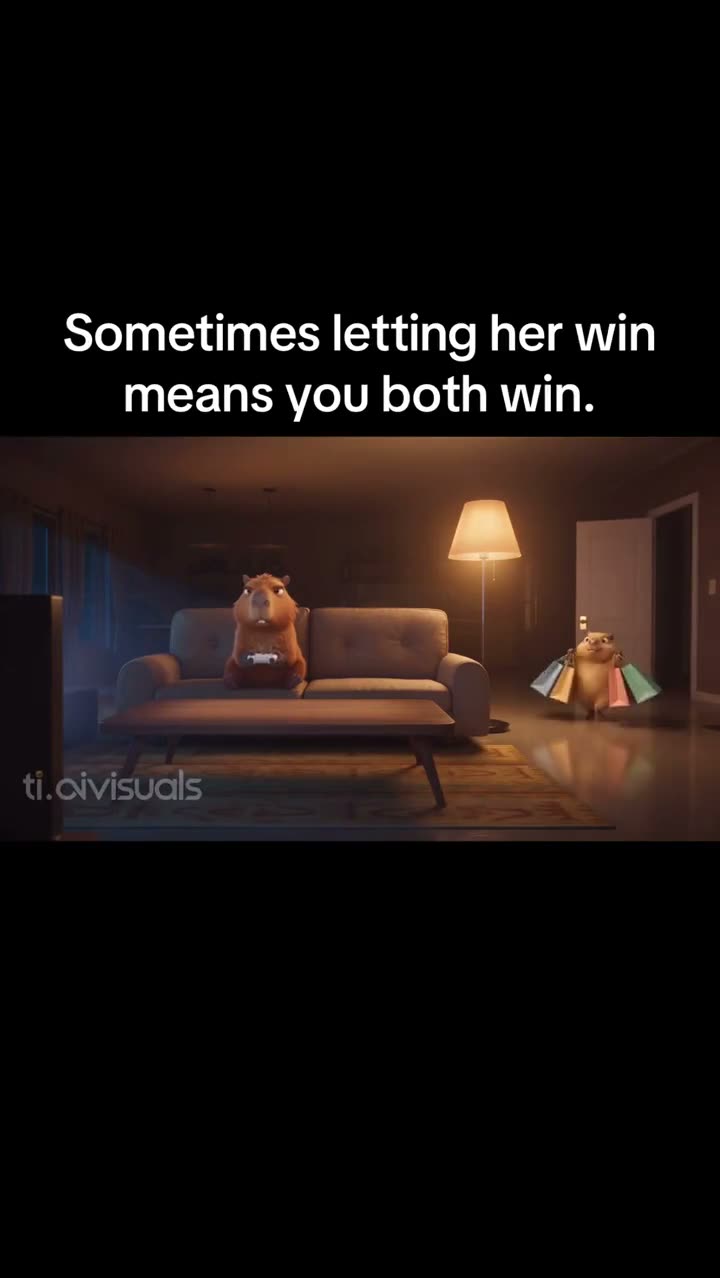
The source is an AI-animated scene about two capybaras sharing a lounge. The opening shows one capybara on the sofa, then the camera moves closer. A second capybara joins near the food table, and both appear in matching pink outfits in the closing view.
This page uses the first 15 seconds of the TikTok post. One photo of you or your pet takes the foreground capybara's role. The second character, sofa, lamp, table and scene order stay with the source clip.
| Time | Beat |
|---|---|
| Shot 1 | One capybara sits on a lounge sofa beneath a short caption. |
| Shot 2 | The camera moves closer to the character's face. |
| Shot 3 | A second capybara joins the scene near a table of food. |
| Shot 4 | The pair appear in matching pink bunny outfits for the closing view. |
02How to make the Capybara Couple AI video from one photo
Open the trend page and watch how the two characters share the lounge. The page shows the original clip and a saved recipe for the foreground capybara. You do not need to write a prompt or assemble the scene yourself; the reference supplies the sofa, table, outfits and timing.
Watching the source and reading the page are free. Creating a video uses credits. Check the amount shown beside the resolution button before you start, because the two resolutions use different balances.
- Open the trend pageWatch the original and look at the foreground character, the second capybara and the lounge setting. The source account is credited with the clip.
- Choose Create your ownThe button opens this trend's video flow. Its saved recipe describes the foreground role and the original sequence, so there is no prompt box on the site.
- Add one photoAdd one photo of yourself or your dog or cat, and confirm you have permission to use it. The photo supplies the foreground lead; the second capybara stays separate.
- Choose a resolutionA 480p video uses 692 credits. A 720p video uses 1,556 credits. Check the exact number on the button before spending credits.
- Make and download the videoTap Make my video and wait for the render. The result can download with the original sound or silently, in a vertical format. Your video stays private to your account.
03The photo that works
Use one photo for the foreground capybara role. The current flow accepts a photo of a person or a pet dog or cat. Keep the second capybara as part of the reference scene, and confirm that you have permission to upload the photo you choose.
- Use one photo of yourself or your dog or cat.
- Choose the foreground role for that photo.
- Use a photo you have permission to upload.
- Keep the second capybara in the original scene.
- Avoid adding a second lead photo.
04The Capybara Couple AI prompt
On AI Trend Club, the original video and saved recipe guide the output, so there is no prompt to write. To test a similar idea in a different video model that accepts a clip and a photo, use a short prompt that keeps one lead separate from the second character.
Create a vertical video from the reference clip. Use the person or pet in the reference photo as the foreground capybara lead on the lounge sofa, then carry that lead into the pink bunny outfit beside the table. Keep the second capybara separate and unchanged. Preserve the lounge, sofa, lamp, food table, drinks, camera framing and original sequence. Use one uploaded photo for the foreground role only. Do not add captions, logos or extra characters.05CapCut template or AI video?
A CapCut template can assemble clips or images that you record or select. It does not put your photo into this original lounge scene. The AI video flow on this page uses the source clip as its reference and places one uploaded person or pet in the foreground role while the second capybara stays in the scene.
There is no app to install for the AI Trend Club page. You can use the browser page, make the video, then edit the downloaded result in CapCut or another editor. The source sound is available with the download, and a silent version is also available.
06Is the Capybara Couple AI video free?
Watching the original and reviewing this page are free. Making the video uses credits. A new account receives 25 welcome credits, enough for a few images but not this trend video. The 480p version uses 692 credits, and the 720p version uses 1,556 credits. A failed video returns its credits automatically.
The Week pass costs $6.99 per week and includes 800 credits. That balance covers one 480p version, but not 720p. A separate 1,000-credit pack costs $9.90 and also falls short of the 720p amount. Review the exact credit amount on the button before starting.
| Option | Price | Credits |
|---|---|---|
| Week pass | $6.99 per week | 800 |
| 1,000 credits | $9.90 | 1,000 |
07Post it
The downloaded video can keep the source sound or remain silent. If you share your version, credit @capisean_capisara and link to the original post above. Do not present the source animation as your own generated result; your version uses the uploaded photo in the foreground role.
- A lounge moment with my capybara lead.
- The matching outfit reveal made me smile.
- A small animated scene for someone close.
08Questions
- What is the Capybara Couple trend?
- It is an animated lounge scene with two capybaras and a matching pink outfit moment.
- How do I make the Capybara Couple AI video?
- Open the trend page, add one photo of yourself or your dog or cat, choose a resolution and tap Make my video.
- Which AI makes the Capybara Couple video?
- An AI video model guided by the original clip and a saved recipe.
- Can I make it on my phone?
- Yes. The trend page runs in your browser, so there is no app to install.
- Who made the original?
- @capisean_capisara posted the original on TikTok on November 2, 2026. The page links to that post.