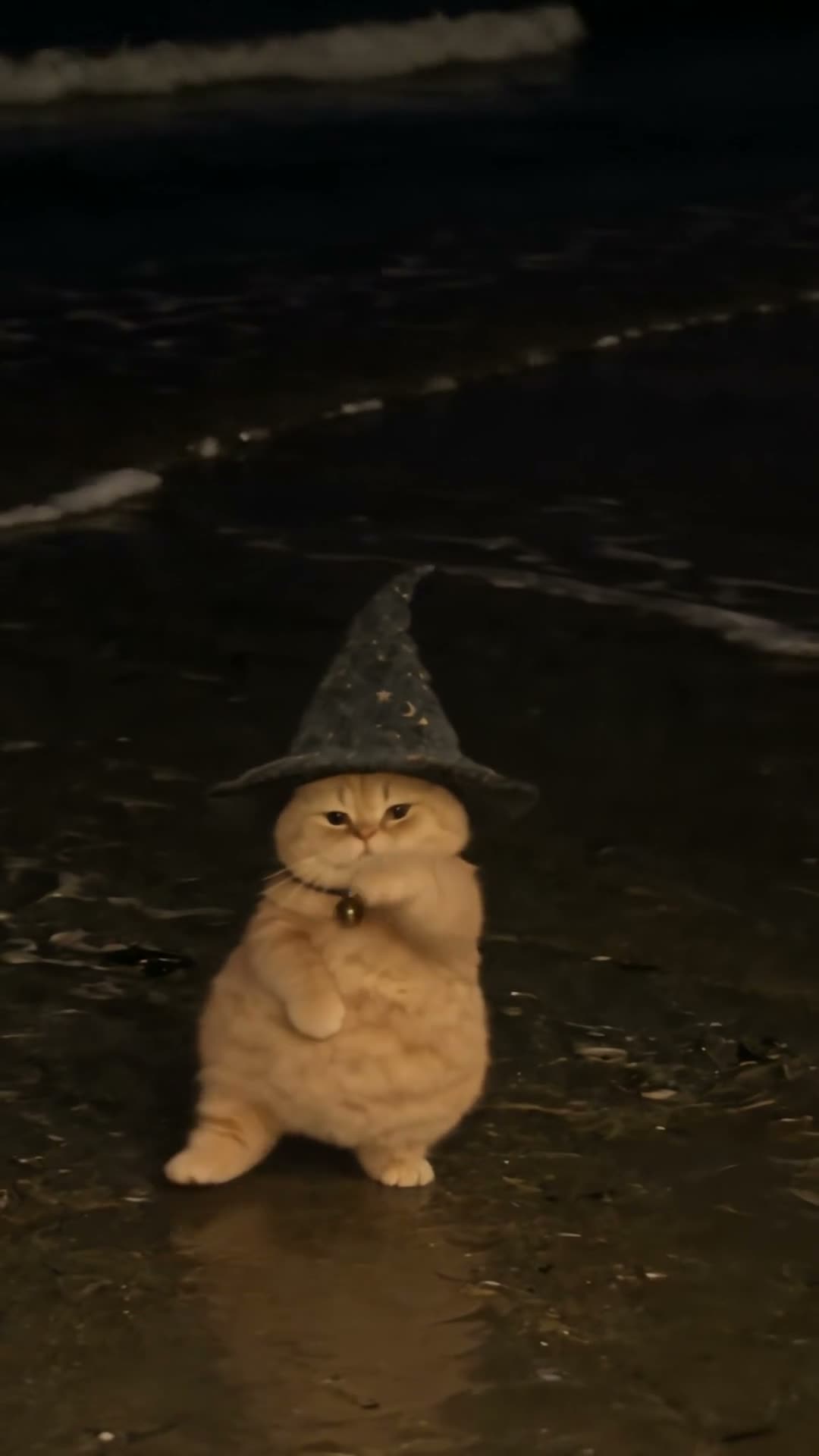
01What happens in the Buggin Dance trend
The Buggin Dance reference puts a round orange cat in a starry wizard hat on a dark beach. It salutes the camera, bounces, kicks to each side, turns and finishes low to the sand. The page uses a 15-second excerpt from a 17-second TikTok by @fatchonkywizardcat, posted Oct 22, 2026.
When checked on Nov 13, 2026, that post had 501,600 views and 73,600 likes. Those are measurements of the linked post at one moment. They do not predict how a remake will perform. The guided page lets one photo of a person or pet take the dancer’s role, while the beach, dance sequence and original sound stay with the reference.
| Time | Beat |
|---|---|
| Shot 1 | The cat faces the camera on a dark beach and lifts a paw in a quick salute. |
| Shot 2 | It bounces in place with its paws near its chest. |
| Shot 3 | The cat kicks to each side, then spins around. |
| Shot 4 | It steps back into the dance and finishes low to the sand. |
02How to make a Buggin Dance video from one photo
The page has a prepared recipe, so there is no prompt to write in the AI Trend Club creator. Pick a photo for the lead, confirm that you have permission to use it, and check the credit amount before you start.
- Open the Buggin Dance pageStart from the trend page to see the linked TikTok, the 15-second clip and the dance sequence.
- Press Create your ownFollow the button into the browser-based creator. You do not need to install an app.
- Add one photoChoose one photo of yourself or a pet that you have permission to use. The photo takes the dancer’s place in the scene.
- Check the quality and creditsA 480p video costs 692 credits. A 720p video costs 1,556 credits. The button shows the current total before you spend.
- Render and downloadTap Make my video and wait a few minutes. Download it with the included sound or choose a silent file.
03The photo that works
One clear subject helps the recipe follow the dancer through the full-body moves. The source includes a salute, side kicks and a turn, so the photo should show the person or pet clearly rather than crop them close to the face.
- Use a clear photo with the subject facing the camera.
- Choose a full-body view.
- Leave room around the subject in the frame.
- Use a photo of yourself or a pet you have permission to use.
04The Buggin Dance prompt
There is no prompt field on the AI Trend Club trend flow. If you want to try the same idea in another video model that accepts a reference image and clip, use a short motion description. This text is only a starting point for another tool.
Stage the routine on a dark beach at night. The person or pet in the reference photo takes the lead as the round orange cat in the starry wizard hat. Begin with a short salute toward the camera, then bounce in place with paws near the chest. Have the dancer kick to one side, then the other, turn once, step back into the beat and finish low to the sand. Keep the surf, hat, bell collar, fixed phone framing, sequence and timing from the reference. Do not add another lead.05CapCut template or AI video?
A CapCut template and a photo-based AI video are separate workflows. For a particular CapCut template, check the required clips and its free-export conditions before you choose it. The Buggin Dance page begins with one photo; the reference clip guides the beach setting and the dancer’s moves.
The site handles the sequence in a guided flow, without asking you to write a prompt. It can use either a person or a pet as the lead. Each render is new and may vary from the linked video, so check the result before sharing. The page provides a download with the original sound and a silent option. You can add captions or continue editing in CapCut after downloading.
06Is the Buggin Dance video free?
Watching the reference and opening the trend page do not require a video purchase. Generating a remake does use credits. New accounts receive 25 welcome credits, which cover a few images but not a trend video. The exact cost appears on the button before you submit, and credits for a failed video return automatically.
The Week pass is a one-time $6.99 purchase with 800 credits. It expires without automatically renewing. That covers one 480p Buggin Dance video at 692 credits. It does not cover the 1,556 credits needed for one 720p video. The 1,000-credit pack costs $9.90 and also covers one 480p render, but not the 720p version alone. Check the editor total and your balance before you begin.
| Option | Price | Credits |
|---|---|---|
| Week pass | $6.99 | 800 |
| 1,000 credits | $9.90 | 1,000 |
07Post with the source credited
The video download can include the reference sound or stay silent. If you post your remake, credit @fatchonkywizardcat and link the TikTok clip shown on the trend page. Keep the source video separate from your new result, and describe what your own photo did in the routine. This lets viewers see which clip inspired the idea.
- “Salute, side kick, spin.”
- “A wizard hat and a confident beach routine.”
- “One quick turn, then back to the sand.”
08Questions
- What is the Buggin Dance trend?
- It is a solo routine with a salute, bounces, side kicks and a quick spin. The linked reference shows an orange cat in a wizard hat.
- Can I use a pet photo?
- Yes. The recipe accepts one photo of a person or a pet, including a dog or cat.
- Which AI makes the Buggin Dance video?
- The page uses an AI video model guided by the original clip. The specific model name is not listed in the trend facts.
- Can I make it in a phone browser?
- Yes. The creator runs in a browser and has no app to install. Check the credit total before you submit.
- Who posted the Buggin Dance reference?
- @fatchonkywizardcat posted the linked TikTok on Oct 22, 2026. The page links to that post.