New trendOriginal posted Nov 10, 2026
CCTV Tiger Fight AI Trend
A grayscale roadside showdown.
AI Trend Club makes the CCTV Tiger Fight AI trend from one photo: a 15-second vertical video, from $6.99. This CCTV Tiger Fight clip turns a quiet, tree-lined lane into a playful face-off between a person and a tiger. Add one photo of yourself or your pet to play the lead in the 15-second vertical clip, while the grayscale camera view and roadside scene stay in place.
- 1 photo: you or your pet
- 15 s vertical clip
- 9:16 for TikTok, Reels, Shorts
- Silent clip, add your own sound
Ready in a few minutes · 692 credits, from $6.99 · failed videos refund their credits
One photo · no prompt · ready in minutes · failed videos refund
What the CCTV Tiger Fight video looks like
This is the original. Your photo replaces its lead, so your video follows the same shots with your face. No two runs come out exactly the same.
Posted by @fahsai5350 on TikTok on Nov 10, 2026, this clip shows a person facing a tiger in a grayscale roadside scene. Add one photo of yourself or your pet to play the lead while the camera view and setting stay. Watch the original post
Also calledcctv tiger fight aitiger fight ai trendfake cctv tiger attacktiger cctv footage
CategoryPets
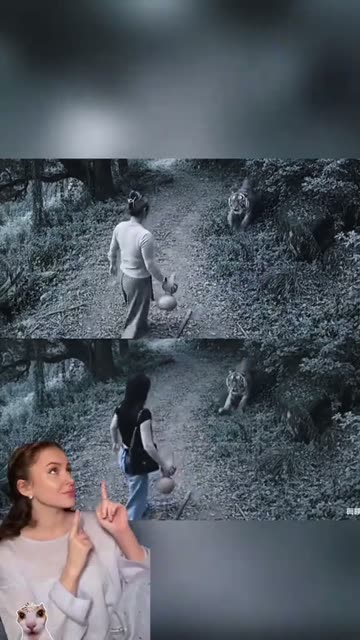 0:01
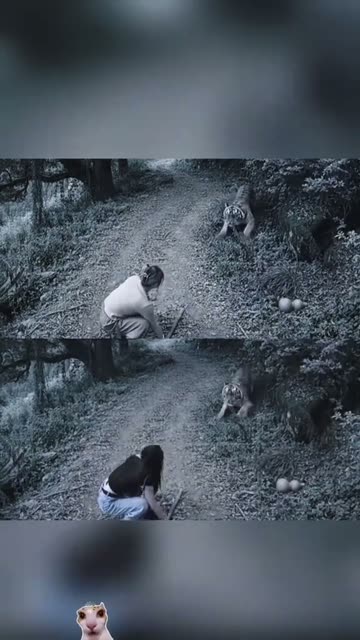 0:05
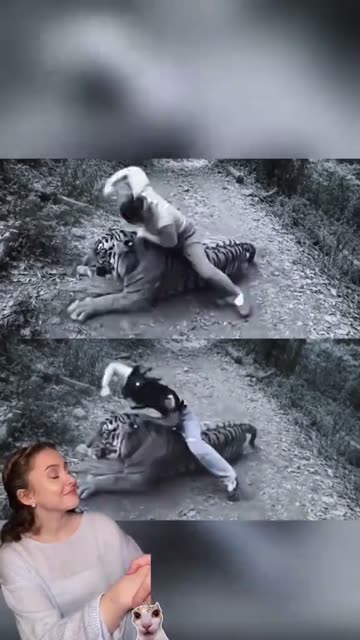 0:09
 0:12
How to make the CCTV Tiger Fight video
- 01
Add your photo
The fighter: one photo of you or your pet.
Add your photo now - 02
Press Make my video
The button shows the price before anything is spent: 692 credits at 480p.
Open the maker - 03
Download and post
A silent MP4 in the original clip’s shape. Add audio in TikTok or Reels when posting. Find it later in My videos.
Start your video
Which photo works best?
- Add one photo of yourself or your pet.
- Use the person or pet you want in the scene.
- Keep to one lead photo.
Avoid
- Do not add a second photo.
- Do not choose a different lead than you intend to replace.
- Do not expect the page to change the source setting.
What happens in your video
- 01
A fixed grayscale view opens on a person and a tiger on a wooded lane.
- 02
The person moves toward the tiger as the camera holds the roadside view.
- 03
A closer moment shows the person wrestling with the tiger in the comic scene.
- 04
A small creator reaction overlay appears beside the final action.
Where the trend came from
The selected example was posted by @fahsai5350 on TikTok on Nov 10, 2026. On Nov 12, it had 1.2M views and 39K likes.
The clip pairs a fixed grayscale roadside view with an impossible tiger encounter. The video on this page is a 15-second excerpt from that post.
What it means
The joke comes from the contrast between an ordinary security-camera look and a dramatic animal encounter.
It suits someone who wants a short visual gag with themselves or their pet in the lead.
How much it costs
| Quality | Length | Credits |
|---|---|---|
| Standard · 480p | 15 s | 692 |
Credits come from a plan or a credit pack. The $6.99 Week pass (800 credits) covers one standard video. A video that fails gives its credits back. See plans
What goes wrong, and the fix
| If… | Do this |
|---|---|
| The lead does not look like your photo | Try one photo of the person or pet you want in the scene. |
| You are unsure what the clip shows | Review the muted original reel and its four frames above. |
| The render failed | Credits come back automatically. Try again with a clearer photo. |
CCTV Tiger Fight questions
What is the CCTV Tiger Fight trend?
It is a grayscale roadside clip where a person faces a tiger. This page shows a 15-second excerpt.
How do I make the CCTV Tiger Fight video?
Press Create your own, add one photo and tap Make my video. There is no prompt to write.
How much does it cost?
From $6.99: the $6.99 Week pass (800 credits) covers one standard video. 692 credits at standard quality (480p), 1,556 at HD (720p). The exact number is on the button before you spend anything, and a failed video gives its credits back.
Can I use a pet photo?
Yes. Add one photo of yourself or your pet to play the lead.
Who made the original?
The selected TikTok was posted by @fahsai5350 on Nov 10, 2026. We link to it above.
Other AI video trends
 Original934K views on the originalTricycle Crash AI TrendA tiny tricycle, a big downhill gag.692 credits · 1 photo
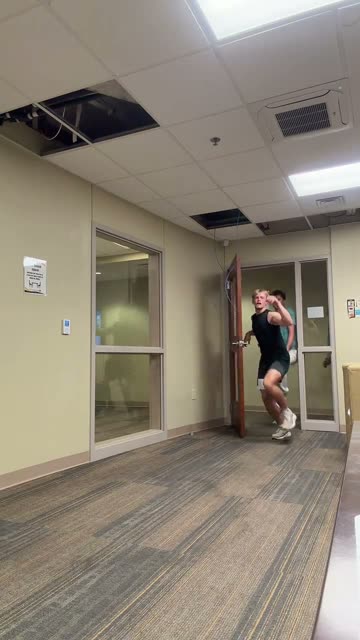 Original53.1M views on originalToc Toc Dance AI TrendA campus hallway becomes a group dance.692 credits · 1 photo
 Original1.2M views on the originalHusband Emporium AI TrendStep into a playful partner shop.692 credits · 1 photoThe trend deskAll AI video trendsEvery trend traced to its original post.Browse
Make your own CCTV Tiger Fight video
Add one photo and tap once. No prompt to write. 692 credits.
Create your own