01What happens in the Flash Couple Silhouette trend
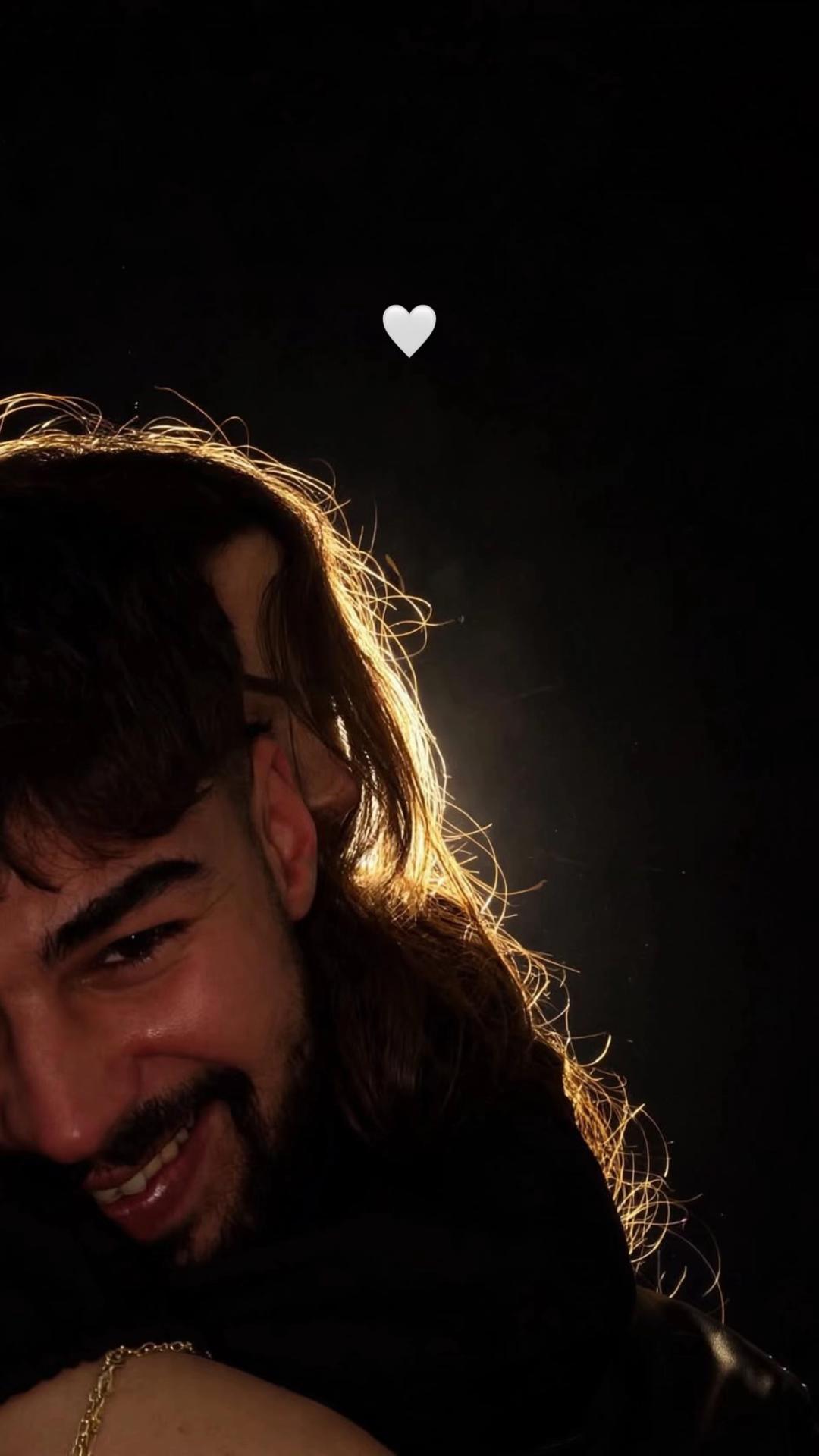
The Flash Couple Silhouette trend turns two separate portraits into one close couple image. The scene is dark, with warm light along the edges of the people and a small white heart above them. On AI Trend Club, the result is a still image. It does not animate the people or create a clip.
The linked post by @harunn4790 is one example of the look. We have not confirmed who first made the format, so treat the post as a reference rather than an origin claim. The edit prompt describes the scene you want, while the two portrait photos provide the people.
| Moment | What to create |
|---|---|
| Portraits | Choose one separate portrait for each consenting adult |
| Couple pose | Place both people together in one close portrait |
| Lighting | Use a nearly black background, warm rim light and a small white heart |
02How to make the photo from two portraits
The image page opens the existing image editor with a prompt already filled in. You can review or change the wording before creating the still. The page shows the current credit price before you submit.
- Open the photo trendGo to the Flash Couple Silhouette trend page and choose Make the couple photo.
- Add both peopleUpload a separate portrait for each consenting adult. Do not put both people into one source photo for these two roles.
- Review the edit promptCheck that the first portrait and second portrait keep their own identities. Adjust the scene description if you want a different pose or light.
- Check the priceThe image edit costs 5 credits. The button shows the current price before you submit.
- Create and saveThe editor makes one still image. Review the faces and the lighting, then save the result if it looks right.
03Choose two portraits that fit the roles
Start with two separate portraits, with one consenting adult in each. The faces should be visible so you can tell which person belongs in each role. Use photos you have permission to edit.
- Add one portrait in the first photo slot and a different portrait in the second slot.
- Keep each person's face visible in their own photo.
- Use photos of adults who agreed to be included in an AI edit.
- Do not use one group photo as a substitute for the two separate roles.
- Review the finished image before sharing it. Generated details can vary from the prompt.
04A prompt for the Flash Couple Silhouette photo
On AI Trend Club, you do not need to write a prompt. The editor fills one in for you. If you want to try the look in another image editor that accepts reference photos, this is a starting point.
Use the two uploaded portrait photos of consenting adults. Treat the first portrait as Person One and the second as Person Two. Keep their faces and identities distinct. Create one close couple portrait against a nearly black background. Place the two people close together, with warm golden rim light along their hair and shoulders and a small white heart above them. Keep both faces visible in the frame. Make one complete still image, not a collage or video frame. Do not add extra people, words, logos or a watermark.05A still photo edit is different from a video trend
This page is for a still image. It takes two portraits and creates one new picture. The image editor does not place the people into a moving clip, preserve a dance or produce a video. The reference post helps explain the lighting and pose, but the page does not turn that post into a video template.
A video edit has a different input and output. It follows a source clip over time and can change the person playing a role in the scene. Here, there is no timeline to follow. The dark background, close pose and light around the figures are all part of one image. If you save the result, describe it as an AI-edited still rather than a recording of a real moment.
06Is the Flash Couple Silhouette photo free
You can view the original post and this guide without paying. Creating an image uses credits. The current image edit price is 5 credits per picture, and the editor shows the amount before you submit. New accounts receive 25 welcome credits, enough for a few image edits. That welcome balance is not a separate free video or unlimited image offer.
No sample image was generated for this page. The original portrait is credited to its creator and is shown as a reference. Your generated result will be a new still image based on the two portraits and the prompt.
| Option | Price | Credits |
|---|---|---|
| New account welcome balance | No charge to receive | 25 credits |
| One image edit | Shown before submission | 5 credits |
07Share the image with clear credit
Ask both people before using their portraits, then review the generated image before sharing it. It is an AI edit, not proof that a real event happened. If you are discussing the format, link to the reference post by @harunn4790 and make clear that it is one example, not a verified origin.
Keep a caption close to the idea in the picture: two people, a dark scene and a small moment of warmth. Do not add a claim that the pictured couple posed for the source post unless you know that to be true.
- Two faces, one little light.
- A quiet portrait for two.
- Keeping this close, warm moment.
08Questions
- Is the Flash Couple Silhouette trend a video?
- No. The AI Trend Club editor makes one still image from two portrait photos.
- Do I need two separate photos?
- Yes. Use one portrait for each consenting adult, with each face visible in its own photo.
- How much does one image edit cost?
- The current image edit costs 5 credits. The editor shows the price before you submit.
- Who made the original?
- The linked reference post is by @harunn4790. We have not confirmed who first created the format.
- Can the image editor animate the result?
- No. It creates a still image, not a video.