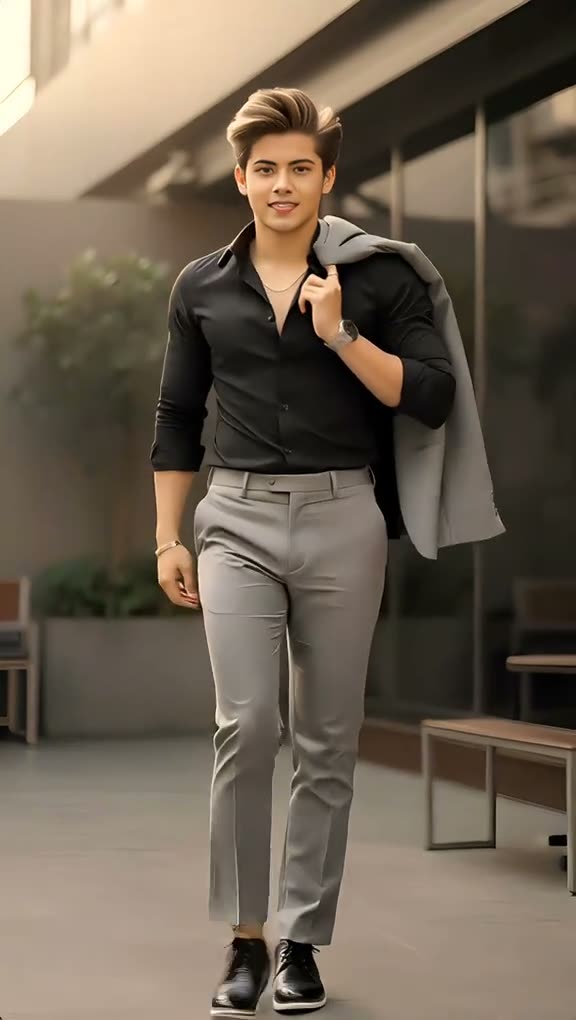
01Short answer
On AI Trend Club, open the Walking Effect trend and upload one clear photo of yourself. The AI puts you in the place of the walker striding toward the camera along an outdoor walkway in a 6-second vertical clip. No prompt is needed and it starts from $6.99.
02Step by step
- Open the trendGo to the Walking Effect page on AI Trend Club and press the create button.
- Add one clear photoUpload a sharp, front-facing photo of yourself.
- Check the price and startThe price shows before you pay; no prompt is needed.
- Download and postThe video is ready in minutes. Add the trend sound in TikTok, Reels or CapCut if you want it.
03At a glance
| Photo | Result |
|---|---|
| One person or pet, facing the camera | Best likeness |
| Group photo or sunglasses | Weaker likeness |
| Blurry or dark photo | Details get lost |
04Questions
- Can I use a full-body photo?
- Yes. A clear, front-facing photo works best; make sure your face is visible.
- How long is the video?
- About 6 seconds, vertical, ready to post.
- Does it add a walking sound effect?
- Add any sound you like when you post; the trend is about the walk itself.