01What happens in the Photogenic Filter trend
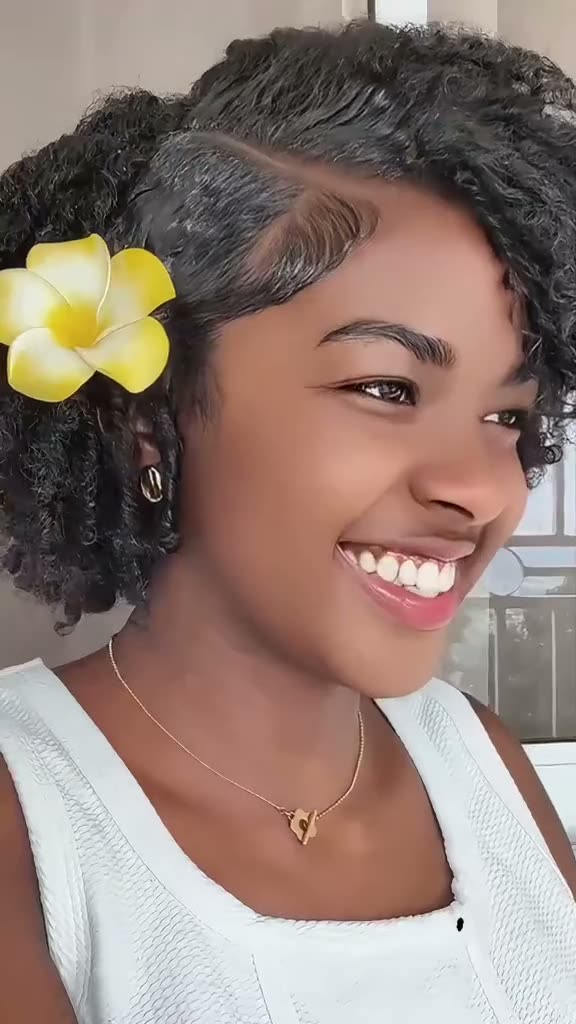
This portrait edit opens with a creator pointing to a person in a smaller frame. It cuts to close-ups that shift from color into black and white, then returns to the split screen. The subject changes pose while the camera stays close.
The effect centers on one change: the portrait moves from color to monochrome. The gesture, close-up and final hold make the sequence easy to follow.
| Time | Beat |
|---|---|
| Shot 1 | A creator points toward a portrait in a split-screen frame. |
| Shot 2 | The portrait subject moves from color into a close-up. |
| Shot 3 | The close-up turns black and white as the subject changes pose. |
| Shot 4 | The split-screen returns to close the short effect. |
02How to make the AI video from one photo
The page uses the original clip as a guide and asks for one portrait photo. Viewing the source and reading this page are free. To make a video, follow these steps. No prompt is needed. The site shows credits before you submit.
Use a photo of the person who should appear in the close-up. The pointing creator remains part of the scene, and there is only one portrait role to fill.
The clip on this page is silent. The download has no original audio, so choose a sound when preparing your post.
- Open the trend pageView the linked clip. It moves from a pointing gesture to a close-up and a monochrome finish.
- Start your videoPress Create your own. The browser flow needs no separate app.
- Add one portraitUpload one photo of yourself or someone whose image you have permission to use.
- Choose the qualitySelect 480p for 323 credits or 720p for 484 credits. The button shows the amount before you spend.
- Make and downloadTap Make my video and wait for the result. Download the vertical clip, then add a trending sound in TikTok if you want audio.
03The photo that works
Choose one clear portrait of the person you want in the close-up. The single-photo workflow has one role to fill, while the pointing creator and split-screen setup stay in the source.
Use your own selfie or another person’s image if you have permission. The page asks you to confirm permission before continuing. A straightforward portrait gives the model one subject to follow through the pose and monochrome change.
If the wrong person changes, try a photo with one clear subject. If the face is hard to recognize, choose a front-facing picture with the full face visible.
- Use one photo with a single visible person.
- Keep the full face inside the frame.
- Choose a front-facing portrait that is easy to recognize.
- Avoid a crop that cuts off the eyes or chin.
- Avoid a group photo where the intended subject is unclear.
- Confirm that you have permission to use the person’s photo.
04The AI prompt
On AI Trend Club, you do not need to write a prompt. Add your photo and the original clip guides the edit.
If you try the effect in another video model that accepts a reference clip, start with the prompt below. It describes the visible sequence and ties the new subject to the reference photo.
Create a short vertical portrait effect that follows the reference clip. Start with a split screen where a creator points toward a portrait beside them. Cut to the person in the reference photo in a close-up, first in natural color. Let the person in the reference photo shift pose slowly as the image changes to black and white. Hold on the expression for a beat, then return to the split-screen composition. Keep the pointing creator unchanged, preserve the flower clip and white top, and use steady close framing. Add no text or audio.05Template edit or AI video?
A conventional editing template arranges footage that you record or select. It can add timing, transitions or captions, but it does not place your photo into the source clip’s scene. This AI video flow uses the original movement as a guide and your portrait as the new subject.
The two options start with different material. An editing template works with clips you bring to it. Here, the reference clip supplies the pointing gesture, close framing and monochrome shift. Your photo supplies the person in the portrait. The result follows that sequence instead of asking you to film every shot again.
After downloading, you can add captions or choose a sound in TikTok. The site output is silent, and it does not include the source track.
06Is the video free?
You can view the source clip and this page without paying. Making a video uses credits. A new account receives 25 welcome credits, enough for a few images but not this video. It costs 323 credits at 480p or 484 credits at 720p.
Check the amount beside the quality button before you submit. If video generation fails, the credits are returned automatically. The two lowest entry choices in the current price list are shown below.
A Week pass gives 800 credits for $6.99. The 1,000 credit pack costs $9.90. Welcome credits do not cover the video, and viewing the page is different from generating it.
| Option | Price | Credits |
|---|---|---|
| Week pass | $6.99 | 800 |
| 1,000 credits | $9.90 | 1,000 |
07Post it
The downloaded clip is silent, so add a trending sound in TikTok if you want one. Credit the matching original to @xsnowo006 and link to the source post when you can. That lets viewers find the person who shared the effect.
Keep your caption short and describe the portrait reveal. These ideas focus on the color change and close-up expression.
- One pose, two moods.
- Color first, monochrome finish.
- Hold that portrait moment.
08Questions
- Is there a Photogenic Filter app?
- AI Trend Club runs in the browser, so you do not need to install a separate app to make this video.
- How do I make this video online?
- Open the trend page, press Create your own, add one portrait photo and choose a quality. The site shows the exact credits before you make the video.
- Which AI makes the video?
- An AI video model guided by the original clip. The material for this trend does not name a specific model.
- Does the downloaded video include the original sound?
- No. The clip is silent. Add a trending sound in TikTok after downloading if you want audio.
- Who posted the matching original clip?
- @xsnowo006 posted the matching tutorial on TikTok on Oct 25, 2025. The trend page links to that post.