01What happens in the Bye Bye Outfit Change trend
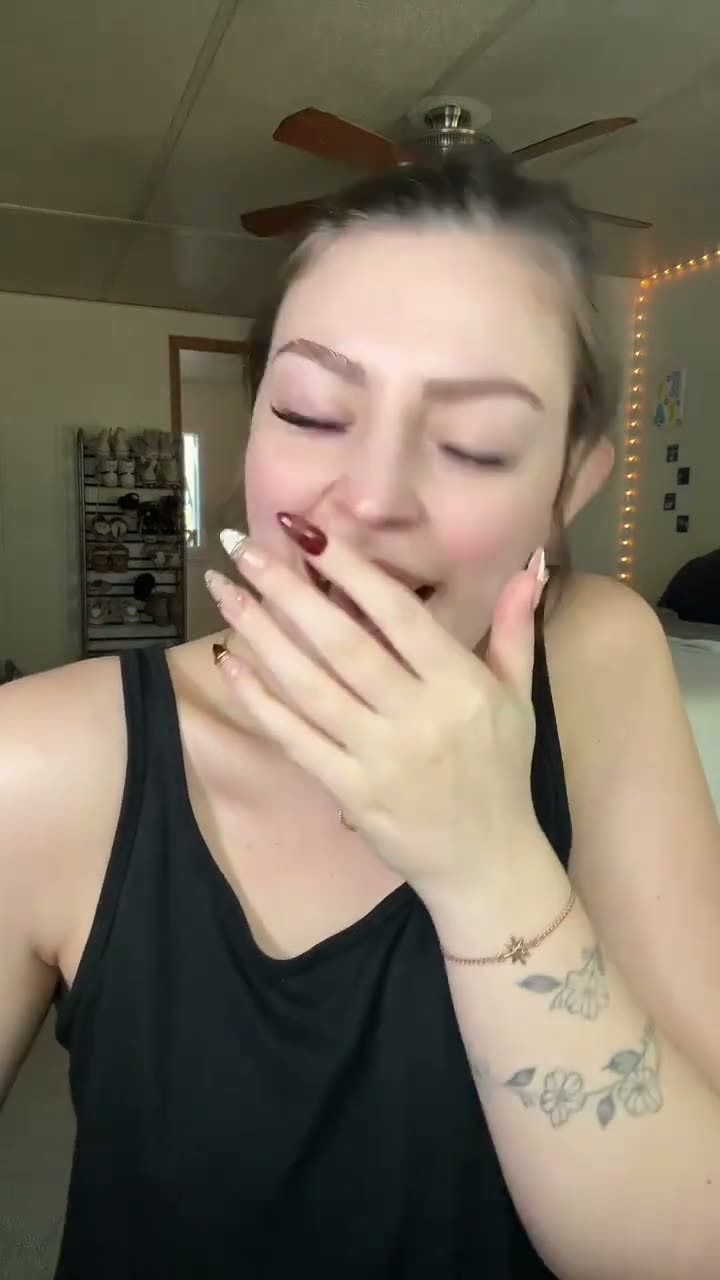
The Bye Bye Outfit Change trend starts with a close selfie and a laugh. The creator waves goodbye, covers the camera with one hand, then lifts that hand to reveal white-and-red clown makeup. The same close portrait stays at the center of the short vertical clip, so the hand cover gives the change a clear before-and-after beat.
This is a makeup and costume reveal built around one simple transition. The selected clip is 11 seconds long. Its sequence moves from the opening expression to the wave, then the covered lens and finished look. The table follows that order so you can compare each beat with the original video on the trend page.
| Time | Beat |
|---|---|
| Opening shot | The creator laughs into a close selfie. |
| Next shot | A goodbye wave leads into a hand over the camera. |
| Reveal | The hand lifts to show white-and-red clown makeup. |
| Final frame | The creator turns slightly to show the finished look. |
02How to make the Bye Bye Outfit Change AI video from one photo
AI Trend Club uses one photo to put your face in the lead role while the close framing and hand-cover reveal follow the source clip. You can watch the original and read the page before you start. The site has no prompt box to fill in, and it runs in your browser without an app to install.
Choose a photo of an adult who has agreed to be pictured. Confirm that you have permission to use the image before you send it. The video stays private to your account. The listed credit amount appears on the button before you spend, and a failed video returns its credits automatically.
- Open the trend pageWatch the original clip and review the hand-cover reveal before starting.
- Press Create your ownThis opens the video flow for the same trend. There is no prompt to write on AI Trend Club.
- Add one photoChoose a clear, front-facing adult photo and confirm you have permission to use it.
- Choose a resolutionSelect 480p for 507 credits or 720p for 761 credits. Check the button before spending.
- Make and downloadTap Make my video. When it is ready, download the silent vertical clip and add the trend sound if you want it.
03The photo that works
Start with a clear, front-facing adult portrait so the face stays easy to recognize during the reveal.
- Keep the face clearly visible in the photo.
- Use even light so the makeup reveal can keep its detail.
- Choose a sharp, close photo for this close-framed trend.
- Use only a photo of someone who agreed to be pictured.
- If the render fails, credits return automatically; try again with a clearer photo.
04The Bye Bye Outfit Change AI prompt
AI Trend Club does not ask you to write a prompt. If you want to try the idea in another video model that accepts a reference image, use this as a starting point. Keep the same order of actions and let the reference photo define the person.
Create a close portrait video with the person in the reference photo facing the camera and laughing. They give a small goodbye wave, then bring one hand across the lens until the view is covered. As the hand lifts away, reveal the same person in a bold white-and-red clown makeup look. Keep the camera close and steady, follow the hand-cover transition in one clear beat, and end with a slight turn that shows the finished look. Preserve the person’s identity and keep the makeup reveal easy to see.05CapCut template or AI video?
A CapCut template can arrange footage that you record yourself, but it cannot put your face into the original clip’s scene. An AI video uses your photo to place you into the source clip’s sequence, including the hand-cover reveal. The trend page shows the original and the AI remake flow together, so you can see what the process is meant to follow.
After downloading, you can use CapCut to add captions or the trend sound. The clip on this page is silent, so it does not include the original audio. Add the sound in TikTok or CapCut when you publish, and credit the original creator in your caption.
06Is the Bye Bye Outfit Change AI video free?
You can watch the original clip and read the trend page for free. A new account gets 25 welcome credits, which is enough for a few images but not this video. This trend uses 507 credits at 480p or 761 credits at 720p. The price and credit amount are shown before you make the video, and failed videos return their credits.
The Week pass is the lowest listed purchase at $6.99 and includes 800 credits. That covers this trend at either listed resolution. The 1,000-credit pack is another option if you prefer a credit pack. Check the live button before spending because it shows the amount for the resolution you picked.
| Option | Price | Credits |
|---|---|---|
| Week pass | $6.99 | 800 |
| 1,000 credits | $9.90 | 1,000 |
07Post it
The clip has no built-in trend sound. Add the original sound in TikTok or CapCut if you want the post to match the trend. Credit @kayla_self in the caption so viewers can find the original creator.
The hand cover makes a quick before-and-after moment, and the close portrait keeps attention on the makeup reveal. Keep your caption tied to that idea.
- A hand cover, then a whole new look.
- One close-up, one quick reveal.
- The makeup change happens in a blink.
08Questions
- What is the Bye Bye Outfit Change trend?
- It is a short transition from a laughing selfie to a white-and-red clown makeup reveal. The selected clip is 11 seconds long.
- How do I make the Bye Bye Outfit Change video?
- Open the trend page, press Create your own, add one permitted adult photo, choose a resolution, then tap Make my video. There is no prompt to write.
- Which AI makes the Bye Bye Outfit Change video?
- It uses an AI video model guided by the original clip. AI Trend Club provides the trend flow and does not ask you to enter a prompt.
- Can I make it on my phone?
- The flow runs in your browser, so there is no app to install. The trend is a vertical clip for TikTok, Reels, or Shorts.
- Who made the original?
- The original creator is @kayla_self. The trend page links to the TikTok source.