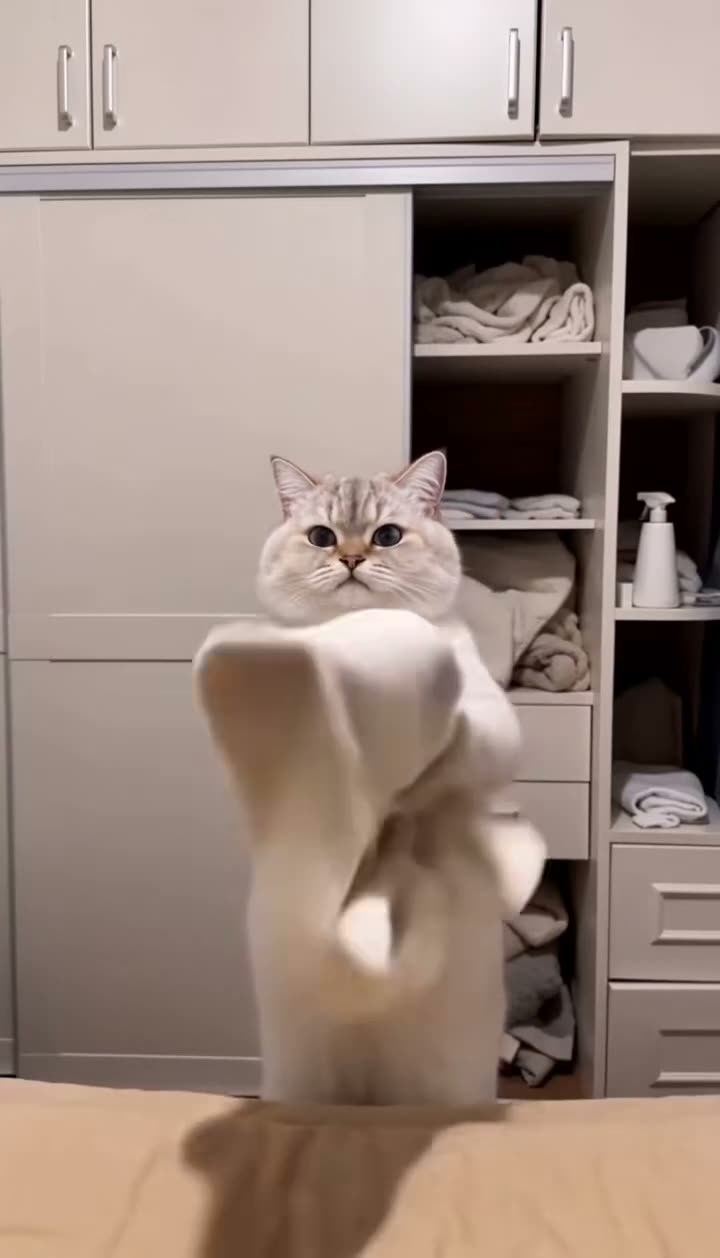
01What happens in the Cat Laundry trend
The Cat Laundry trend uses a 11-second vertical clip, and one photo takes the lead role. The original keeps its home or snowy setting, its other animals and the sequence of movements. The page links to the creator’s post so you can see the source scene before making your own.
These are the beats shown in the linked clip.
| Time | Beat |
|---|---|
| Shot 1 | A cat appears among clothes inside a wardrobe. |
| Shot 2 | The lead cat moves laundry through the home. |
| Shot 3 | The scene shifts to a balcony clothesline. |
02How to make the Cat Laundry AI video from one photo
AI Trend Club has the source clip and the role setup on the page, so you do not need to write a prompt. Follow the steps below and check the credit amount shown on the button before you submit.
The original sound is included with this trend. You can also download a silent version if you want to choose a different sound later.
- Open the trend pageGo to the Cat Laundry page on AI Trend Club and watch the original clip at the top.
- Start your versionPress Create your own to open the matching video workflow.
- Add one photoChoose one photo for the lead role and confirm that you have permission to use it.
- Choose a resolutionAt 480p, this 11-second video uses 507 credits. At 720p, it uses 1,141 credits. The button shows the exact amount before you spend.
- Make and downloadTap Make my video. When it is ready, download it with the original sound or silently. The clip stays vertical 9:16.
03The photo that works
The page uses one photo for the lead. For this cat scene, that can be a photo of your pet or of yourself. The photo supplies the identity while the linked clip supplies the scene and movement.
- Use one photo for the lead role.
- Choose the pet or person you want to appear in the scene.
- Use a clear photo where the face or coat is easy to recognize.
- If a different animal takes the lead, use one photo of the intended cat.
- If the subject is hard to recognize, try a clearer photo.
04The Cat Laundry AI prompt
On AI Trend Club, the original clip already guides the Cat Laundry video, so there is no prompt to write. If you want to try the scene in another video model that accepts a reference clip and a photo, this description gives it the same basic direction.
Use the source video as the scene and timing reference. The person in the reference photo, or the pet in the photo for this animal trend, takes the lead cat role. Keep the same lead through every cut. Show the cat reaching into the wardrobe, moving laundry through the home, and appearing by the balcony clothesline. Preserve the wardrobe, household setting, original camera framing and sequence. Change only the lead identity. Do not add another animal, a new room, captions, logos or a watermark.05CapCut template or AI video?
A CapCut template is an editing arrangement for footage you provide. It can help assemble clips you filmed, but it does not put your photo into the original cat scene.
The AI version starts with the linked Cat Laundry clip. Your photo takes the lead’s place while the source scene, timing and other animals guide the result. That is the difference: a template edits your footage, while the AI workflow adapts this reference scene around your photo.
After downloading, you can use CapCut to add captions or another sound. The original sound is included here, and the download can also be silent.
- Choose the AI workflow when you want the linked scene with your photo in the lead role.
- Choose a CapCut template when you want to edit clips you filmed or selected yourself.
- Use the silent download if you plan to add a different sound.
06Is the Cat Laundry AI video free?
Watching the source clip and reading the trend page are free. A new account receives 25 welcome credits. That is enough for a few images, but not enough for this video.
One 480p version uses 507 credits, and one 720p version uses 1,141. The smallest paid options shown here are the Week pass and the 1,000-credit pack. Check the button before submitting because it displays the exact amount for your selected resolution.
If a video render fails, the credits come back automatically. The price table is an option list, not a charge made by visiting this page.
| Option | Price | Credits |
|---|---|---|
| Week pass | $6.99 | 800 |
| 1,000 credits | $9.90 | 1,000 |
07Post it
If you share your version, credit @kungseol in the caption and link to the original post. The source is shown above so viewers can find the creator. This clip already includes its original sound; you can also choose the silent download and add audio after saving it.
Keep the caption focused on the everyday or snowy pet moment. These short ideas use the scene shown in the clip.
- Laundry day has a new helper.
- My cat took the wardrobe shift.
- Clean clothes, curious cat.
08Questions
- What is the Cat Laundry trend?
- It is a 11-second vertical scene based on the linked cat clip. One photo takes the lead role, while the original setting and movements stay in the video.
- Is there a Cat Laundry AI template?
- AI Trend Club uses the linked clip as the reference for this video. A CapCut template edits footage you provide; it does not put your photo into this original scene.
- Which AI makes the Cat Laundry video?
- It uses an AI video model guided by the original clip and your photo.
- Can I make it on my phone?
- Yes. AI Trend Club runs in your browser, so there is no app to install.
- Who made the original?
- @kungseol posted the original on TikTok on Nov 15, 2026. We link to it above.