01What happens in the Gender Swap Filter trend
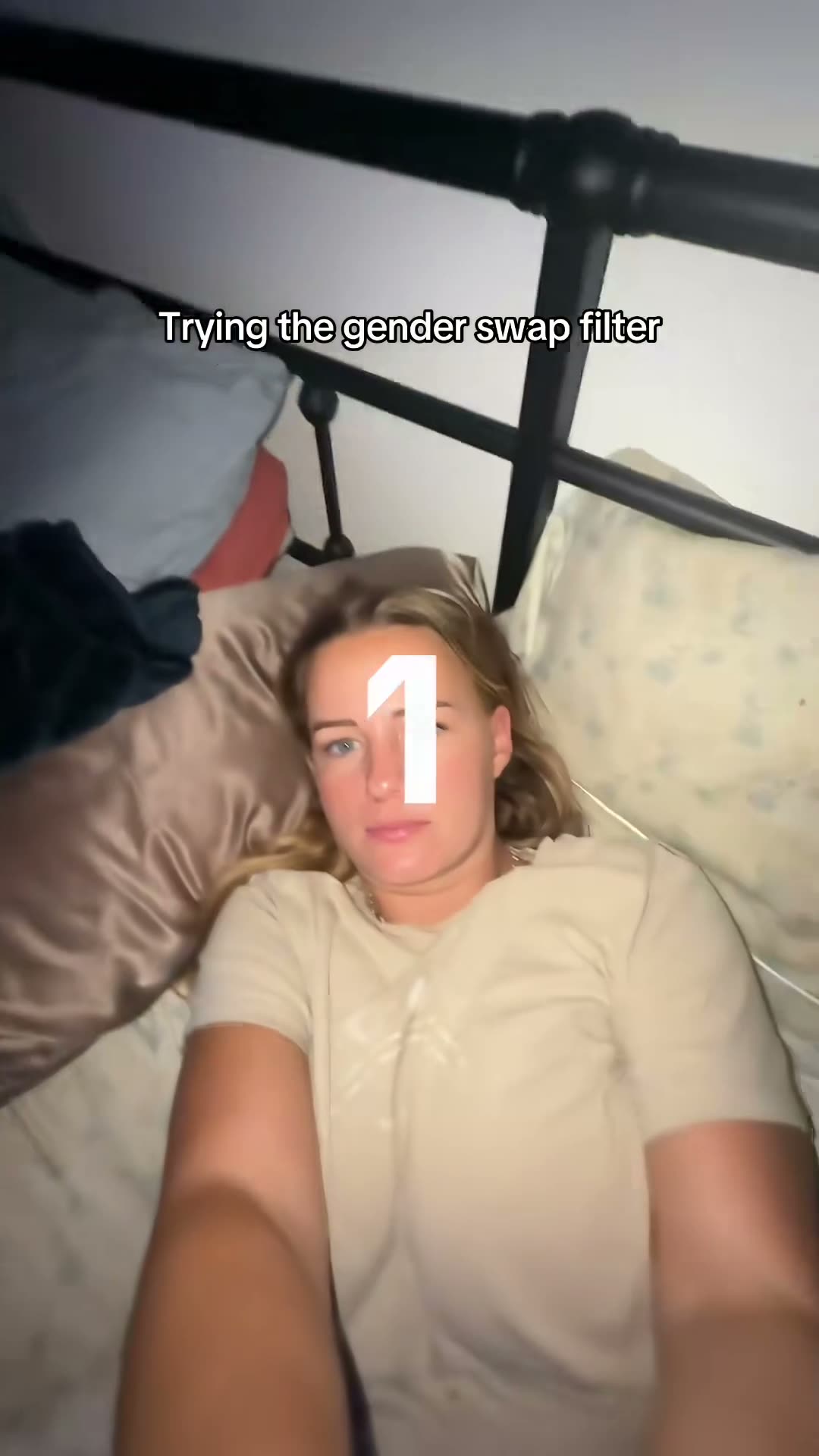
The Gender Swap Filter is a close selfie transition. A person looks toward the camera from a bed, a bright wipe passes across the frame, and the image changes to a male-presenting look. The page uses the same short source clip with its sound removed.
The camera does not move to a new room or switch to a different scene. That steady framing makes the change easy to see. Add one adult selfie of yourself to take the lead. The template follows the original composition, bedding and camera angle, while the appearance change is the main beat.
| Time | Beat |
|---|---|
| Shot 1 | A close selfie looks into the camera from a bed. |
| Shot 2 | A bright wipe crosses the image. |
| Shot 3 | The person appears in a male-presenting look with the same framing. |
02How to make the Gender Swap Filter AI video from one photo
You do not need to write a prompt on AI Trend Club. The page uses the original clip as the visual reference and asks for one adult selfie. You can make the video in a browser, so there is no editing app to install.
Review the photo and the resolution before you start. The amount of credits appears on the button before you spend them. The displayed price is the final guide for that run.
- Open the trend pageGo to the Gender Swap Filter page on AI Trend Club and choose Create your own.
- Add one selfieUse one adult selfie of yourself. Confirm that you have permission to use the image.
- Check the framingKeep your face and shoulders visible so the source close-up has a clear person to follow.
- Choose a resolutionThe video needs 277 credits at 480p or 415 credits at 720p. Check the button before spending.
- Make and downloadTap Make my video. The remake is silent, so add a sound in TikTok or CapCut if you want one.
03The photo that works
This page is built for one adult selfie. The original is a close portrait in a bed, so use a photo that gives the video model a clear face to follow. The page does not need a written prompt or a second person.
- Use one adult selfie of yourself.
- Keep your face turned toward the camera and visible.
- Choose a photo that includes your face and shoulders.
- Only upload a photo you have permission to edit.
- Avoid another person in the photo and avoid large logos or printed words.
04The Gender Swap Filter AI prompt
AI Trend Club does not ask you to write a prompt. If you are testing the idea in another video model that accepts a reference clip and an image, you can start with this short description. Adjust it for that model's controls and keep the source sequence in view.
Create one vertical clip based on the source video. Keep the same close selfie angle, bed, bedding and pale shirt. The person in the reference photo is the only lead. Let a bright wipe move across the frame, then show that person in a male-presenting version while keeping their recognizable facial identity. Hold briefly on the changed look in the same framing. Keep the motion natural and the scene simple. Do not add other people, writing, logos, music, dialogue or a watermark.05CapCut template or AI video?
A CapCut template can help you arrange footage you filmed yourself. It does not put your face into the original creator's room or repeat the reference clip with your identity. The Gender Swap Filter page uses an AI video model guided by the source clip to make that kind of scene change.
You can still use CapCut after downloading the silent video. Add a sound or captions there, or use TikTok's sound picker when you post. The generated clip does not include the original trend sound, so choose the audio separately if you want to follow the same format.
06Is the Gender Swap Filter AI video free?
Watching the source clip and opening the trend page are free. Making the video uses credits. A new account receives 25 welcome credits, which are enough for a few images but not for this video. A failed video returns its credits automatically.
The Week pass starts at $6.99 and includes 800 credits. A 1,000-credit pack costs $9.90. For this trend, a 480p video uses 277 credits and a 720p video uses 415 credits. Check the button before you start, since it shows the amount for the selected resolution.
| Option | Price | Credits |
|---|---|---|
| Week pass | $6.99 | 800 |
| 1,000 credits | $9.90 | 1,000 |
07Post your Gender Swap Filter video
The source clip is silent on this page. Add the trend sound in TikTok or CapCut after you download your video. When you share it, credit TikTok creator @twinmomtales and link to the original post. The original was posted on May 7, 2026, and its creator name appears on the trend page.
Keep the caption about the look change shown in your own clip. These short ideas stay close to the original format without claiming that the result is a real person or an actual photo.
- Same selfie, a new look.
- Would you meet your other-gender look? Credit @twinmomtales and link the original.
- A bright wipe, then another version of me.
08Questions
- Is there a Gender Swap Filter AI template?
- AI Trend Club has a one-photo workflow that follows the source clip. Add one adult selfie and make the video in the browser.
- Which AI makes the Gender Swap Filter video?
- It uses an AI video model guided by the original clip. The page does not name a specific model.
- Can I make it on my phone?
- Yes. The site runs in a browser, so there is no app to install.
- Is the Gender Swap Filter video free?
- Viewing the page is free, but making a video uses credits. It takes 277 credits at 480p or 415 at 720p.
- Who made the original?
- TikTok creator @twinmomtales posted it on May 7, 2026. The trend page links to the original.