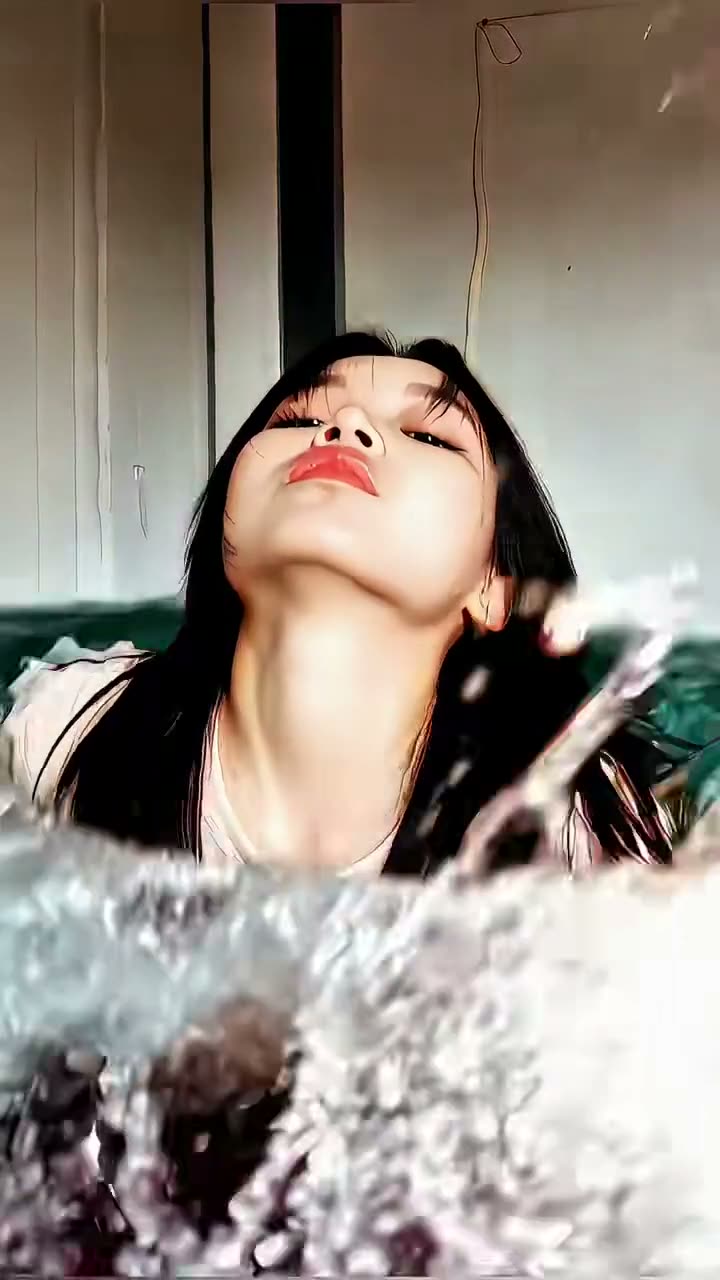
01What the Mermaid Portrait photo is
The Mermaid Portrait format places an adult portrait in an underwater fantasy scene. The linked TikTok tutorial by @user3577540320181 demonstrates a one-photo mermaid look, with loose hair, teal scale styling and a visible tail. It is a current example of the format, not a verified record of who first created it.
The site edits one adult portrait into a still image. It does not create a swimming animation, pool transition, or video. That distinction matters when your search for an AI mermaid photo is meant to find a profile image.
The prompt is generic. It asks for covered teal scale styling and an underwater setting while keeping the adult recognizable. The result may change details, so check the face, outfit and tail before saving.
| Part | What the edit asks for |
|---|---|
| Portrait | One adult photo that you have permission to edit |
| Style | Loose hair and teal scale styling |
| Scene | Blue-green underwater light and a visible tail |
| Output | One AI-edited still image |
02Choose a portrait you can use
Choose one adult portrait you own or have permission to edit. Use a photo with one visible face so the editor has one person to guide.
Before uploading, check that the adult's face is visible. The editor uses the portrait as a reference but may change facial, hair or clothing details. Expect a similar style, not an exact copy.
- One adult portrait with one visible face
- A photo you own or have permission to edit
- A clear view of the person's hair and face
- No private details you do not want in the result
03Review the included mermaid prompt
The trend page opens the image editor with a prompt already filled in. It asks for one generic mermaid portrait with loose hair, a covered teal scale-pattern top, a visible tail and blue-green underwater light. Review it before you submit; you can change the outfit or background wording.
Keep the request focused on one adult and one still image. The prompt does not promise an exact likeness or a copy of the creator's reference. Colors, scales and tail shape can vary.
Edit the uploaded adult portrait into one tasteful, fully covered fantasy mermaid portrait. Keep the same adult recognizable, with loose hair, a fitted teal scale-pattern top that covers the torso, and a visible mermaid tail. Place the subject in clear blue-green underwater light with a natural, calm expression. Use a new generic mermaid design, not a named character or a copy of the reference image. Make one complete still image, not a collage or video. Do not add extra people, text, logos, or a watermark.04Make the still image in the editor
Open the image editor from the Mermaid Portrait page. Add the adult portrait, check that you have permission to use it, and read the prompt once more. The image editor currently shows a price of 5 credits per image edit before submission. You decide whether to continue after you see the prompt and the price.
When the image is ready, inspect the result before you save or share it. Check that it is a single picture, the adult still looks recognizable, the outfit is fully covered, and the mermaid tail is present. The edit can vary, so do not treat the prompt as a promise that every requested detail will appear exactly as written.
- Open the trend pageUse the Mermaid Portrait AI Photo page to carry the included prompt into the image editor.
- Add one portraitChoose one adult photo you have permission to edit and review the prompt.
- Check the priceThe editor shows the current 5-credit price before you submit.
- Create and reviewSubmit the image edit, then inspect the face, covered outfit and tail before saving.
05Adjust the result if a detail is missing
If the tail is missing, move that request near the start of the prompt. If teal scales are faint, ask for a clear pattern while keeping the top covered. Change one detail at a time.
If the face changes too much, begin again with a portrait where the adult's face is easy to see. Repeat that the same adult should remain recognizable, then compare the result with the input because facial and hair details can change.
If the scene looks like a pool, make the blue-green light and underwater setting more explicit. The prompt guides the edit but cannot control every visual choice.
| What you see | What to adjust |
|---|---|
| The tail is hard to see | Repeat that the mermaid tail should be visible in the final portrait. |
| The top does not show scales | Ask for a clear teal scale pattern while keeping the torso covered. |
| The face changed | Use a clearer adult portrait and repeat the instruction to keep the same adult recognizable. |
06Share the image with clear context
Before sharing, check the result and make sure the person in the photo agreed to the edit. This is an AI fantasy portrait, not a real underwater photograph. Label it as edited so viewers understand what they are seeing.
Credit @user3577540320181 and link to the original TikTok when you discuss the example. Keep the creator's reference distinct from the image you made with your portrait.
The page does not show a generated sample. Your result can vary in face, color and fantasy details, so review it before posting.
- Use a portrait you have permission to edit
- Check the face, outfit and tail before sharing
- Describe the result as an AI-edited fantasy image
- Credit @user3577540320181 when discussing the reference
07Questions about Mermaid Portrait AI photos
The simplest route is to start from the trend page, where the image prompt is already included. Add one adult portrait, review the wording and price, then decide whether to create the still image. You can change the prompt before submitting if you want a different covered look or underwater color.
08Questions
- Is Mermaid Portrait an AI video?
- No. This page creates one still image. It does not make a swimming animation or a transition video.
- How many photos do I need?
- Use one adult portrait with a visible face and permission to edit it.
- Can I use a named mermaid character?
- The included prompt is for a generic mermaid design. It does not ask for a named character or a copy of the reference image.
- What does one image edit cost?
- The current image editor price is 5 credits. The editor displays the price before you submit.
- Who posted the linked tutorial?
- The linked TikTok tutorial is by @user3577540320181. We link to it above.