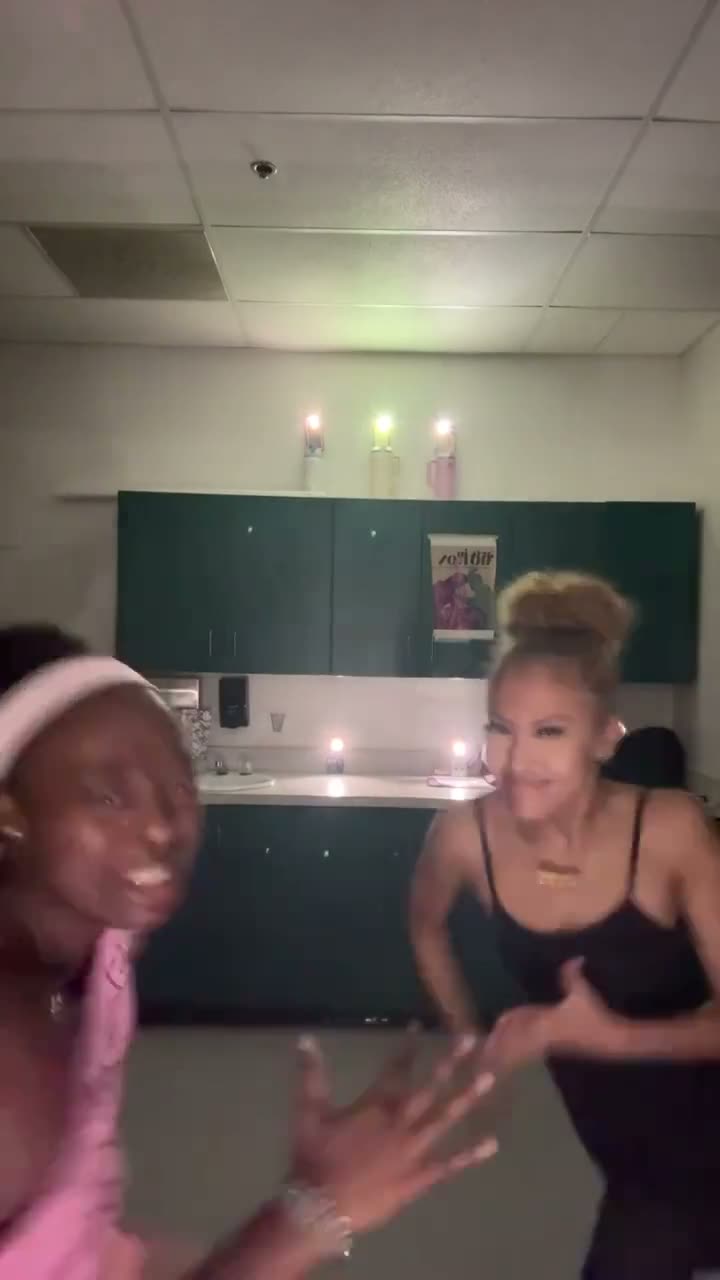
01What happens in the Pray For Me Slow Mo trend
The solo version begins in a bright living room. The dancer sways and raises one hand, then brings both palms together near the chest. The person drops out of view while the camera stays on the room. The same person appears beyond the window and in the mirror before returning near the camera. Slow movement gives the routine a serious entrance, while the exits create a playful visual turn.
The linked post on the trend page is by @co20ate67. It shows a group slow-motion run and is evidence of the trend’s spread. This page does not turn that group clip into a group workflow. Its one-photo recipe follows a separate solo reference by @tinkz1way, so the displayed trend post and the motion source have different jobs.
| Time | Beat |
|---|---|
| Shot 1 | The solo dancer sways in a bright room and raises one hand. |
| Shot 2 | They bring both palms together in a prayer gesture. |
| Shot 3 | The dancer drops from view as the room stays in frame. |
| Shot 4 | The same person returns close to the camera. |
02How to make the Pray For Me Slow Mo AI video from one photo
AI Trend Club fills in the video recipe. You do not need to write a prompt or prepare multiple identities. The page uses one adult portrait and a separate solo movement reference. Before you start, check the quality and credit amount shown on the button. The clip downloads silent, so you can choose a sound later when you share it.
- Open the trend pageOpen the Pray For Me Slow Mo page and press Create your own. The linked group-run post is credited separately from the solo motion reference.
- Add one portraitChoose one clear photo of an adult and confirm you have permission to edit it. This page is for one solo lead.
- Keep the version soloThe photo fills the lead role in the bright-room routine. The page does not ask for multiple photos or promise a group run.
- Choose a qualityThis trend page currently offers a standard 480p render for 507 credits. Confirm the current amount on the button before you spend.
- Make and downloadTap Make my video and wait for the render. Download the silent clip, then add a sound in TikTok or CapCut if you want audio.
03The photo that works
Use one clear adult portrait that you have permission to edit. Keep the face visible so the lead is easier to follow in the room, mirror and window views. The recipe is for one person throughout the clip. A group photo does not match that workflow because the page cannot assign a separate identity to each person in the group-run trend.
- One adult portrait for the solo lead
- A face that is visible and easy to recognize
- A photo you own or have permission to use
- One photo only for this version
04The Pray For Me Slow Mo AI prompt
AI Trend Club includes the recipe, so there is no prompt field to fill in. If you want to try the idea in another video tool that accepts a reference clip, describe one lead and keep that identity consistent in the reflections and distant views.
Use the bright-room solo clip as the motion guide and replace the dancer with the person in the reference photo. Keep that same person recognizable in every view, including the mirror and the area outside the window. Use slow motion. Begin with a small sway and a hand gesture, bring both palms together near the chest, let the dancer drop out of frame, then show the same person beyond the window and in the mirror before they return near the camera. Preserve the room, arched doorway, window, mirror, framing and sequence. Do not add a group, text or sound.05CapCut template or AI video?
A template can arrange footage you already have, but that is different from an AI video that follows a reference scene. The page’s one-person recipe follows a solo motion clip and uses one portrait for the lead. It does not add separate people from the group post or promise that several friends will run past the camera.
After downloading the silent MP4, you can trim it or add a sound in CapCut. You can also choose a sound when posting in TikTok. Watch the entire clip first, including the mirror and window moments, since generated details can vary.
06Is the Pray For Me Slow Mo AI video free?
The original post and the trend page are available to view without using generation credits. A new account includes 25 welcome credits, enough for a few images but not enough for this video. This trend page currently offers a standard 480p render for 507 credits.
The Week pass is listed at $6.99 for 800 credits. A 1,000-credit pack is listed at $9.90. The Week pass covers one standard render by credit amount; the pack also covers one standard render. The button displays the current credit amount before you submit, and credits for a failed video are returned automatically.
| Option | Price | Credits |
|---|---|---|
| Week pass | $6.99 | 800 |
| 1,000 credits | $9.90 | 1,000 |
07Post it
The download has no sound. Add a sound in TikTok or CapCut after it is saved if you want one. Keep the credit clear: @co20ate67 posted the linked group run, and @tinkz1way made the solo reference used for the one-person recipe.
Caption the solo gesture or the slow entrance without saying the page reproduces the group post. These ideas follow the routine’s serious opening and playful return:
- A quiet start, then a slow-motion entrance.
- One solo photo in the room.
- The prayer gesture, then the close-up.
08Questions
- Can I make the group run from this page?
- No. This page offers a one-person solo recipe. It does not assign several separate identities.
- Which AI makes the Pray For Me Slow Mo video?
- An AI video model guided by the solo reference clip. The page shows the credit amount before you start.
- Can I make it on my phone?
- The flow runs in a browser, so you do not need to install an app.
- Who posted the linked group video?
- The linked Oct 21, 2026 post is by @co20ate67. The separate solo motion reference is by @tinkz1way.
- Does the download include the trend sound?
- No. The MP4 is silent. Add a sound in TikTok or CapCut after you download it.