01What happens in the Christmas Snow Globe Portrait
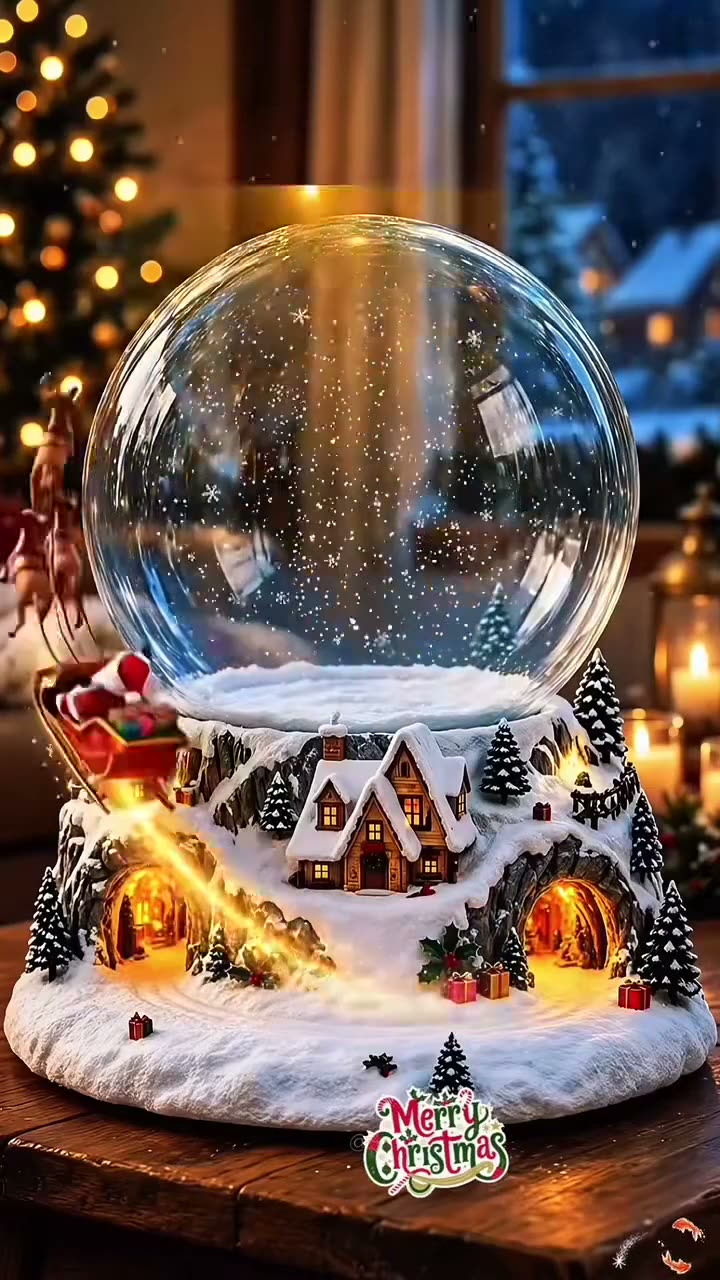
The Christmas Snow Globe Portrait places one adult portrait inside a clear glass globe. The scene includes a small snowy village base, a cottage and a Christmas tree. Gentle snow appears inside the globe in the still image, while the person remains the main subject.
The linked TikTok tutorial by @fflora77 was posted on Nov 19, 2026. It first shows the globe and village base, then demonstrates a phone editing walkthrough. The post had 509 views and 14 likes when checked on Nov 19, 2026. Those counts describe that post at that time and can change.
| Part of the image | What it shows |
|---|---|
| Globe | A clear glass Christmas snow globe |
| Portrait | One adult inside the globe |
| Base | A snowy village, cottage and Christmas tree |
02How to make the Christmas Snow Globe Portrait AI photo
Open the trend page to carry the included prompt into the image editor. The prompt asks for a still portrait inside a glass globe, with a small snowy village base. It also asks the editor to keep the person recognizable and preserve their age and facial features.
The result is a still image. The editor does not make the snow move, build a 3D globe or turn the scene into a video. Read the prompt and the credit price shown in the editor before sending the request. Inspect the completed image before saving or sharing it.
- Open the trend pageLook at the linked TikTok example and the globe scene described here.
- Open the image editorPress Make the photo to use the included snow globe prompt.
- Add one portraitChoose one adult photo you have permission to edit.
- Review the prompt and priceCheck that it asks for the glass globe, snowy village base, cottage and tree. Confirm the credit amount shown in the editor.
- Create and inspectSubmit the edit, then review the portrait and village scene before sharing.
03Choose a portrait for the globe
Use one adult portrait that you have permission to edit. The photo is the identity reference for the person placed inside the globe. The prompt asks the image editor to keep the person's age and facial features recognizable, but each result can vary.
After the edit, inspect the face and the parts of the scene inside the glass. Check that the image reads as a portrait inside a globe with a snowy village base. The result is a digital picture, not a physical ornament or a 3D model.
- Use one adult portrait.
- Choose a photo you have permission to edit.
- Use an image where the face is visible.
- Check whether the globe, cottage and tree appear in the scene.
- Review the result before you share it.
04The Christmas Snow Globe Portrait AI photo prompt
The trend page opens the image editor with a prompt already filled in. You do not need to write one before you start. Read the wording, then use it as a guide if you want to describe a similar still portrait in another image editor.
Edit the uploaded portrait of one consenting adult into one still image of that same person inside a clear glass Christmas snow globe. Keep the person recognizable and preserve their age and facial features. Set the globe on a small snowy village base with a cottage and Christmas tree; add gentle falling snow inside the globe. Use a clean, festive scene with soft lighting. Make a still image, not a video, animation, or 3D model. Do not add text, logos, extra people, or a watermark.05The image is a still snow globe portrait
The editor creates one complete image. The snow, village and globe are all part of that picture. It does not animate falling snow or produce a rotating view of a 3D ornament.
The linked TikTok post is a creator tutorial, not an output made by AI Trend Club. Review the face and the holiday scene after generation because the finished image can differ from the prompt. Save or share it only if the result is what you want.
06Does the Christmas Snow Globe Portrait AI photo cost credits?
One image edit uses 5 credits. New accounts receive 25 welcome credits, which can cover five image edits when the full balance is available. The editor shows the current credit cost before you submit. Review that amount and your balance before creating the image.
The tutorial and trend page can be viewed without submitting an image request. Credits are used when you send the edit. If you have spent welcome credits already, the editor shows the balance you have left.
| Image edit | Credits |
|---|---|
| One still image | 5 |
| New account welcome balance | 25 |
07Share the Christmas portrait
Check the portrait, glass globe and snowy base before posting. This workflow makes a seasonal still picture rather than a moving snow globe or a real holiday ornament. If you talk about the example tutorial, credit @fflora77 and link to the original TikTok post.
The format brings one portrait into a small winter scene with a cottage and tree. Use a photo you have permission to edit, and give the tutorial creator credit when you reference the post.
- One portrait inside a snowy globe.
- A village scene in a single still image.
08Questions
- What is the Christmas Snow Globe Portrait AI photo?
- It is one still image of an adult portrait inside a glass globe with a snowy village base.
- How many photos do I need?
- Use one adult portrait you have permission to edit.
- Does the snow move?
- No. The image editor creates a still picture, not an animation.
- Who posted the example?
- The linked TikTok tutorial is by @fflora77 and was posted on Nov 19, 2026. We link to it above.