Photo trendOriginal posted Oct 31, 2026
Kids Drawing to Life AI Trend
Turn a hand-drawn idea into a still image.
Use the photo editor to turn a drawing you own or have permission to edit into a friendly, realistic-looking image. Add one drawing and review the included prompt before creating. The reference post shows an image transformation; this page creates a still image, not an animation.
- 1 photo you add
- AI-edited still image
- Edit prompt included
One AI-edited still image · 5 credits · you can review the prompt before creating
One photo · prompt included · AI-edited still image
What the original shows
Posted by @happylily86 on TikTok on October 31, 2026, the reference turns hand-drawn animals into realistic-looking images. Its caption credits the drawings and videos to @_penguin8__ and the transformations to HappyLily. Watch the original post
Also calledkids drawing to life aikids drawing come to life aikids drawing to real life ai
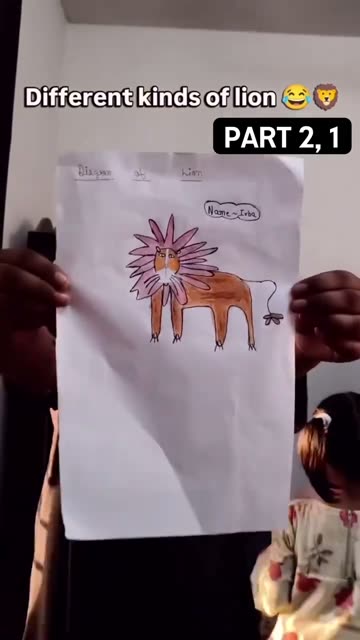 0:01
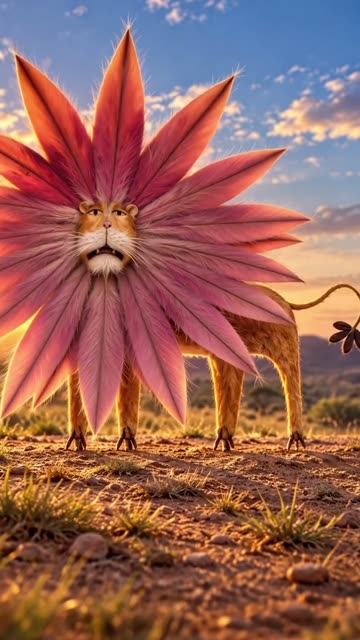 0:05
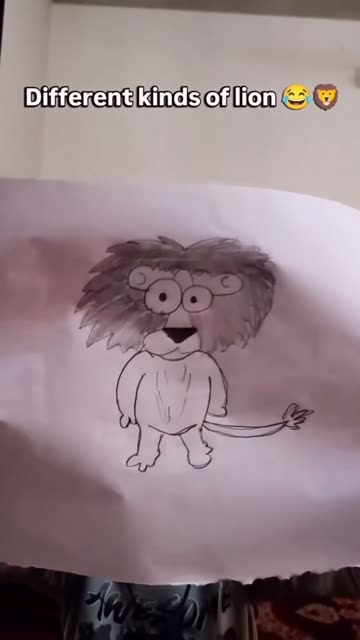 0:09
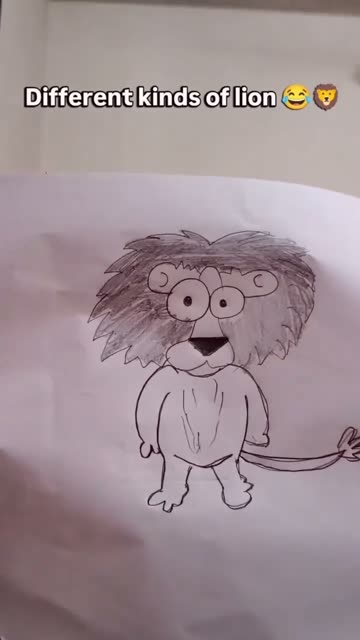 0:12
Make the still image
- 01
Choose a photo
one photo of a drawing you own or have permission to edit; avoid adding a child's portrait or personal information
Open the image editor - 02
Review the edit prompt
The prompt is filled in for you. You can change its wording before you create the image.
Review the prompt - 03
Create and save
The image editor shows the 5-credit price before you submit. Your result is a still image, not a video.
Create your image
Where the idea came from
This page uses a post by @happylily86 from October 31, 2026. Its caption credits the original drawings and videos to @_penguin8__ and the realistic transformations to HappyLily.
The post is one example of the drawing-to-life format, not proof of who first created it. The image editor on this page makes a still image from a drawing.
Why people share it
The charm comes from keeping a child's idea recognizable while showing it in a new visual style. The original pose and color choices give the realistic version its personality.
The transformation can make an imaginative animal easier to picture, while the drawing remains the starting point. It works best when the final edit still feels connected to the lines on the page.
Get a cleaner edit
Photograph the full drawing in bright, even light. Keep the page flat and the camera directly above it. Use a drawing you own or have permission to edit.
Avoid: A blurry image or a drawing partly outside the frame. Shadows, glare or fingers covering important lines. Names, school details or other private information in the image.
The result changes the creature too much Ask the prompt to preserve the drawing's silhouette, pose, colors and distinctive details. A clearer photo can also help the editor read the sketch.
The drawing is hard to recognize Use a brighter, sharper image with the whole page visible. Keep the prompt focused on the creature already drawn instead of adding a new scene.
The image adds extra objects or characters Review the prompt and ask for one creature only, with a simple background and no extra text. Check the result before saving or sharing.
Photo trend questions
What is the Kids Drawing to Life AI trend?
It is a photo transformation that turns a hand-drawn idea into a realistic-looking image while keeping details from the original sketch.
Does this page make an animated video?
No. The current flow edits one image and returns a still picture. It does not animate the drawing.
How do I turn a drawing into a realistic image?
Open the image editor from this page, upload a clear photo or scan of the drawing, review the prompt and submit the edit. The result can differ from the sketch.
How much does one image edit cost?
The current image editor price is 5 credits for one image. The editor shows the price before you submit.
Who made the reference post?
The linked post is by @happylily86. Its caption credits the original drawings and videos to @_penguin8__ and the realistic transformations to HappyLily.
More AI photo edits
 Photo trend3D Month Letters AI Photo TrendYour month, stacked in glossy balloon letters.5 credits · one photo
 Photo trendAI Text Prank Photo EditMake the picture ridiculous. Write the message yourself.5 credits · one photo
 Photo trendGreen Alien Cat AI Photo TrendTry the fuzzy alien-cat look on your pet.5 credits · one photo
 Photo trendPixie Haircut AI Filter Photo TrendPreview layered pixie hair from one portrait.5 credits · one photo
Try the Kids Drawing to Life photo edit
One photo, one prompt and one AI-edited still image. 5 credits.
Edit your photo