New trendOriginal posted Nov 3, 2026
Ding Ding Ding AI Trend
Turn one pet photo into a merge game.
AI Trend Club makes the Ding Ding Ding AI trend from one photo: a 15-second vertical video, from $6.99. A kitten appears in a series of soft, rounder versions against a plain background. Add one photo of your pet to take the featured kitten’s place in this 15-second clip. The white setting and merge sequence stay in the reference, and the preview is silent.
- 1 photo: you or your pet
- 15 s square clip
- Square, like the original
- Original sound included
Ready in a few minutes · 692 credits, from $6.99 · failed videos refund their credits
One photo · no prompt · ready in minutes · failed videos refund
What the Ding Ding Ding video looks like
This is the original. Your photo replaces its lead, so your video follows the same shots with your face. No two runs come out exactly the same.
The TikTok by @whitejvmcfn, posted on Nov 3, 2026, shows the kitten version of the Ding Ding Ding merge game. This page uses a silent excerpt; your pet’s photo takes the featured kitten’s place while the merge sequence stays in the reference. Watch the original post
Also calledding ding ding pet mergeding ding ding kitten trendkitten version merge gamepet merge ai video
CategoryPets
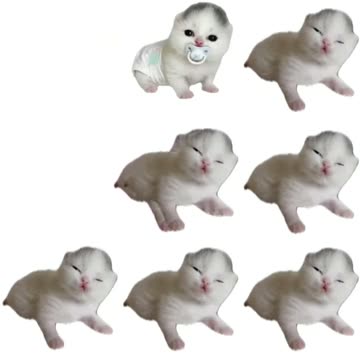 0:01
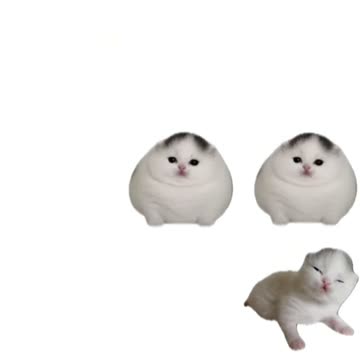 0:05
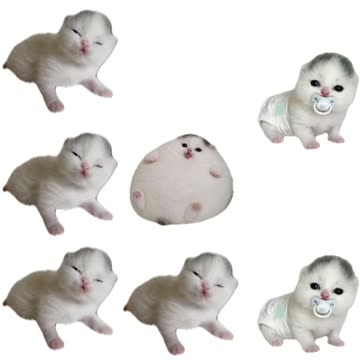 0:09
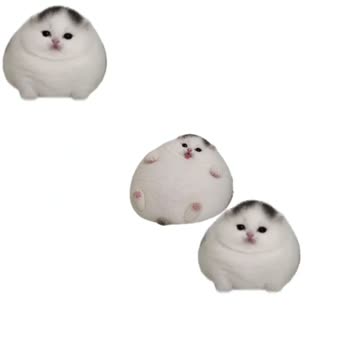 0:12
How to make the Ding Ding Ding video
- 01
Add your photo
Featured pet: use one clear pet photo.
Add your photo now - 02
Press Make my video
The button shows the price before anything is spent: 692 credits at 480p.
Open the maker - 03
Download and post
A vertical 9:16 MP4, with the trend’s sound or silent. Find it later in My videos.
Start your video
Which photo works best?
- Use one clear photo of your pet
- Keep your pet’s face visible
- Choose even light on the fur
Avoid
- A group photo with several animals
- A blurry or very dark image
- A crop that cuts off the pet’s face
What happens in your video
- 01
A small white kitten appears against a plain background.
- 02
A second kitten portrait joins the frame.
- 03
Rounder kitten versions appear beside the smaller look.
- 04
The sequence ends on a soft, round kitten portrait.
Where the trend came from
The linked TikTok from @whitejvmcfn was posted on Nov 3, 2026. Its caption calls it a kitten version of the Ding Ding Ding merge game.
The post had 1M views and 175K likes when checked on Nov 13, 2026. This page uses a silent 15-second excerpt from the pet trend.
What it means
The changing pet portraits turn one familiar photo into a playful merge sequence. The rounder versions give the clip its visual joke.
It suits pet owners who want to make a light, shareable video. One photo takes the featured kitten’s place while the white background stays in the reference.
How much it costs
| Quality | Length | Credits |
|---|---|---|
| Standard · 480p | 15 s | 692 |
Credits come from a plan or a credit pack. The $6.99 Week pass (800 credits) covers one standard video. A video that fails gives its credits back. See plans
What goes wrong, and the fix
| If… | Do this |
|---|---|
| Your pet’s markings change | Choose a clear photo where the face and fur are easy to see. |
| The pet is hard to recognize | Use one photo with a clear view of the same animal. |
| The render failed | Credits come back automatically. Try again with a clearer photo. |
Ding Ding Ding questions
What is the Ding Ding Ding trend?
It is a pet merge clip that shows a kitten in a sequence of rounder versions. This page links to a cat version of the trend.
How do I make a Ding Ding Ding AI video?
Press Create your own, add one photo and tap Make my video. There is no prompt to write.
How much does it cost?
From $6.99: the $6.99 Week pass (800 credits) covers one standard video. 692 credits at standard quality (480p), 1,556 at HD (720p). The exact number is on the button before you spend anything, and a failed video gives its credits back.
Can I use a photo of my pet?
Yes. Add one clear photo of your pet to take the featured kitten’s place in the sequence.
Who posted the original?
@whitejvmcfn posted the TikTok on Nov 3, 2026. We link to it above.
Other AI video trends
 Original1.8K likes on the Snapchat postGolden Statue Baby Kiss AI TrendA curious touch gets a warm reaction.692 credits · 1 photo
 Original502K TikTok viewsBuggin Dance AI TrendA photo takes over the Buggin dance.692 credits · 1 photo
 Original184K TikTok viewsIconic By Mistake AI TrendThree kittens, with you in the middle.692 credits · 1 photoThe trend deskAll AI video trendsEvery trend traced to its original post.Browse
Make your own Ding Ding Ding video
Add one photo and tap once. No prompt to write. 692 credits.
Create your own