TrendingOriginal posted Oct 7, 2026
Wizard Cat Keyboard Smash AI Video
The keyboard gets the last word.
AI Trend Club makes the Wizard Cat Keyboard Smash AI trend from one photo: a 7-second vertical video, usually ready in a few minutes, from $6.99, with a free preview first and no sign-up. A cat in a pointed blue hat works a keyboard, pauses to stare at the monitor and ends with a flurry of keystrokes. Put your pet in the chair with one photo. The seven-second clip keeps the office setup and the change from patient typing to a final burst.
- 1 photo of your pet
- 7 s vertical clip
- 9:16 for TikTok, Reels, Shorts
- Silent clip, add your own sound
See yourself in the scene before you pay. No sign-up · the video is from $6.99, failed videos refund · see the maker first
See yourself in the scene before you pay. No sign-up · the video is from $6.99, failed videos refund · see the maker first
What the Wizard Cat Keyboard Smash video looks like
This is the original. Your photo replaces its lead, so your video follows the same shots with your face. No two runs come out exactly the same.
The TikTok reference is by @fatchonkywizardcat. Your pet takes the desk seat while the hat, keyboard and timing carry the joke. Watch the original post
Also calledwizard cat keyboard memecat slams keyboardwizard cat typing
CategoryPetsMemes & pranks
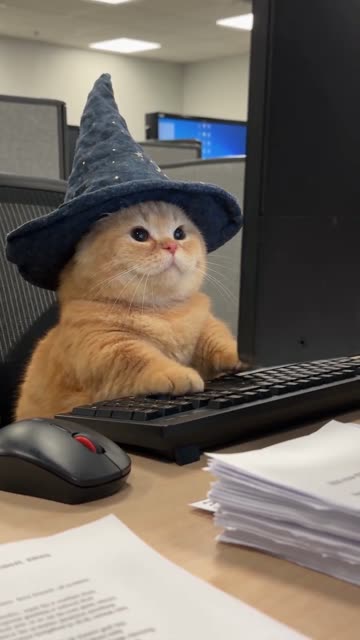 0:00
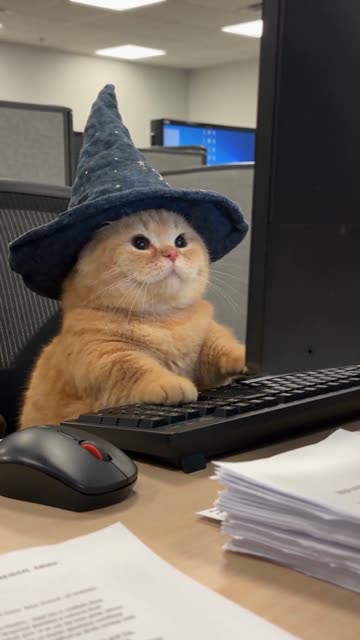 0:02
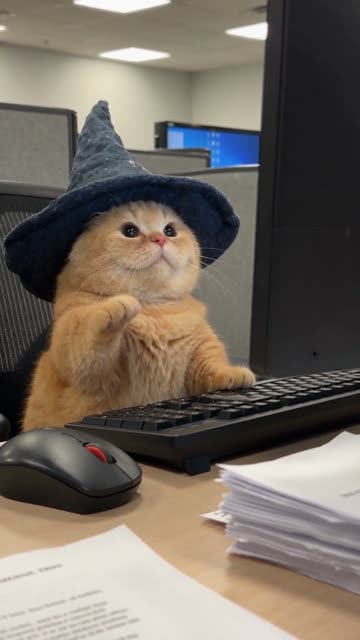 0:04
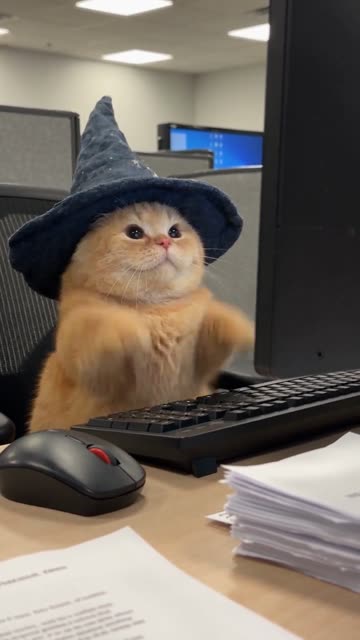 0:05
How to make the Wizard Cat Keyboard Smash video
- 01
Add your photo
The desk wizard: a clear photo of one pet.
Add your photo now - 02
Press Make my video
The button shows the price before anything is spent: 323 credits at 480p, 484 credits at 720p.
Open the maker - 03
Download and post
A vertical 9:16 MP4, with the trend’s sound or silent. Find it later in My videos.
Start your video
Which photo works best?
- Choose a sharp photo of your pet.
- Keep the pet’s eyes and markings visible.
- Use even light and one pet in frame.
Avoid
- Faces partly covered by hands
- Multiple animals in the upload
- Blur around the ears or eyes
What happens in your video
- 01
A cat in a pointed hat sits at a desk with both paws near the keys.
- 02
The cat types while looking up at the monitor.
- 03
The paws pause and the cat holds its stare.
- 04
The paws come down in a final burst of typing.
Where the trend came from
@fatchonkywizardcat posted the office clip on TikTok on October 7, 2026. The cat wears a pointed blue hat beside a monitor and a stack of papers.
The camera holds a steady side view. Most of the action is in the paws and the break between the bursts of typing.
What it means
The pause makes the final burst work as a reaction to an ordinary day at a desk. You can read it as frustration or as a pet taking work very seriously.
The hat is the costume and the keyboard is the prop. A recognizable pet and a short caption are enough to make the joke yours.
How much it costs
| Quality | Length | Credits | From |
|---|---|---|---|
| Standard · 480p | 7 s | 323 | $6.99 |
| HD · 720p | 7 s | 484 | $6.99 |
Credits come from a plan or a credit pack. The $6.99 Week pass (800 credits) covers one standard video. A video that fails gives its credits back. See plans
What goes wrong, and the fix
| If… | Do this |
|---|---|
| The pet looks unfamiliar | Use a sharp photo with clearly visible eyes and markings. |
| The hat hides too much of the face | Try a photo where the pet holds its head up and looks toward the camera. |
| The render failed | Credits come back automatically. Check the photo and try again if you want. |
Wizard Cat Keyboard Smash questions
What is the wizard cat keyboard smash?
It is an office reaction clip about a cat in a wizard hat that types, stares at a screen, then pounds the keys.
Can I use my dog?
Yes. The role accepts one pet photo, including a cat or dog.
How much does it cost?
From $6.99: the $6.99 Week pass (800 credits) covers one standard video. 323 credits at standard quality (480p), 484 at HD (720p). The exact number is on the button before you spend anything, and a failed video gives its credits back.
Does the cut include typing sounds?
The AI Trend Club version is silent.
Who posted the reference?
@fatchonkywizardcat posted the source on TikTok. We link to it above.
Other AI video trends
 OriginalOriginal posted Oct 24, 2026Hand Pinch Filter AI VideoA cheek stretch and a double take.Free preview · from $6.99 · 1 photo
 Original4.4M views on the originalHero Funk Head Bop AI TrendNod, crouch, and hit the stop pose.Free preview · from $6.99 · 1 photo
 Original29K likes on the originalPet DJ Arena AI TrendPut your pet behind the decks.Free preview · from $6.99 · 1 photoThe trend deskAll AI video trendsEvery trend traced to its original post.Browse
Make your own Wizard Cat Keyboard Smash video
Add one photo and tap once. No prompt to write. 323 credits.
Create your own