New trendOriginal posted Nov 16, 2026
Mermaid Splash Transformation AI Video Trend
A splash reveals the mermaid scene.
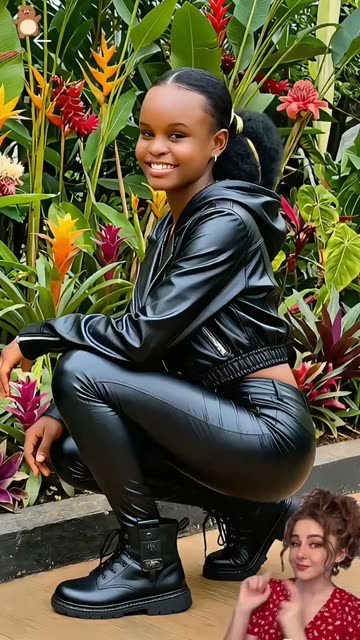
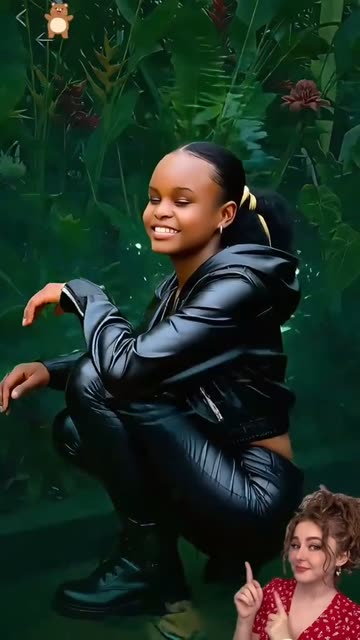
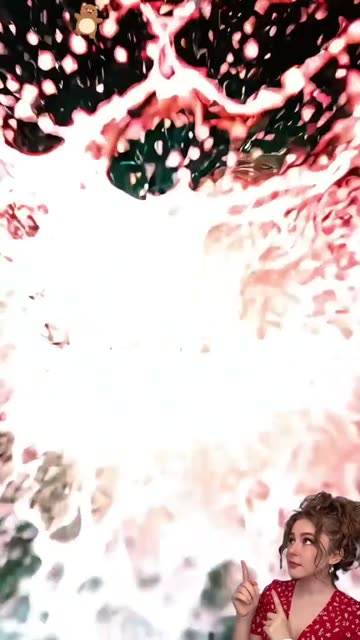
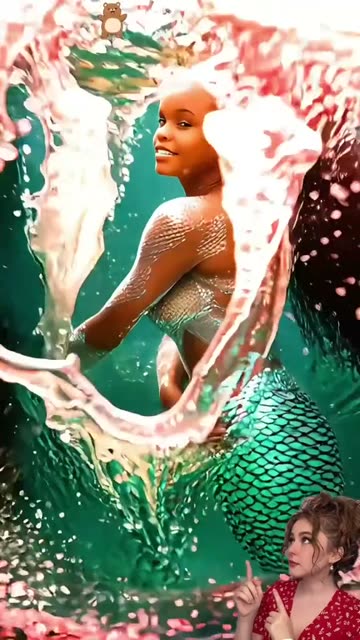
AI Trend Club makes the Mermaid Splash Transformation AI trend from one photo: a 3-second vertical video, usually ready in a few minutes, from $6.99, with a free preview first and no sign-up. In this 3-second vertical clip, an adult poses in a leafy outdoor setting before a full-frame splash reveals an underwater mermaid scene with a scaled tail. Add one adult photo to play the main lead; the splash and small presenter inset in the lower-right corner remain separate.
- 1 photo you add
- 3 s vertical clip
- 9:16 for TikTok, Reels, Shorts
- Original sound included
See yourself in the scene before you pay. No sign-up · the video is from $6.99, failed videos refund · see the maker first
See yourself in the scene before you pay. No sign-up · the video is from $6.99, failed videos refund · see the maker first
What the Mermaid Splash Transformation video looks like
This is the original. Your photo replaces its lead, so your video follows the same shots with your face. No two runs come out exactly the same.
The linked TikTok post by @phan.van.khai6 was posted on Nov 16, 2026. Its opening tutorial segment shows a leafy pose, a full-frame splash, and a mermaid-style underwater reveal. Your photo takes the main lead’s place while the splash and lower-right presenter inset stay. Watch the original post
Also calledai mermaid transformationmermaid splash effectmermaid transformation tutorial
CategoryTransformations
 0:00
 0:01
 0:01
 0:02
How to make the Mermaid Splash Transformation video
- 01
Add your photo
Mermaid lead: one clear adult portrait.
Add your photo now - 02
Press Make my video
The button shows the price before anything is spent: 139 credits at 480p, 208 credits at 720p.
Open the maker - 03
Download and post
A vertical 9:16 MP4, with the trend’s sound or silent. Find it later in My videos.
Start your video
Which photo works best?
- Use one adult portrait you have permission to edit
- Choose one person to play the main lead
- Keep the face visible in the photo
Avoid
- Do not use a group photo
- Do not expect the presenter inset to change
- Do not expect every splash or water detail to match exactly
What happens in your video
- 01
The main adult poses in a leafy outdoor setting.
- 02
A bright splash covers the full frame.
- 03
The scene changes to an underwater mermaid look with a scaled tail.
- 04
A small presenter inset remains at the lower right.
Where the trend came from
The linked TikTok post by @phan.van.khai6 was posted on Nov 16, 2026. The selected opening shows an adult, a splash transition, and a mermaid-style underwater scene.
As of Nov 23, 2026, the full tutorial post had 297K views and 12K likes. This page uses only the opening segment and credits the linked post.
What it means
The splash hides the cut between an outdoor pose and a fantasy underwater scene. The scaled tail makes the transformation clear in a short clip.
It suits someone looking for a playful mermaid-style edit. The small presenter inset stays as part of the source layout while the main lead changes.
How much it costs
| Quality | Length | Credits | From |
|---|---|---|---|
| Standard · 480p | 3 s | 139 | $6.99 |
| HD · 720p | 3 s | 208 | $6.99 |
Credits come from a plan or a credit pack. The $6.99 Week pass (800 credits) covers one standard video. A video that fails gives its credits back. See plans
What goes wrong, and the fix
| If… | Do this |
|---|---|
| The wrong person changes | Use one clear adult photo and review the main scene lead. |
| The splash looks different | Generated water effects can vary between results. |
| The small presenter inset changes | The recipe aims to keep the lower-right inset separate; review the finished video. |
| The render failed | Credits come back automatically. Try again with a clearer photo. |
Mermaid Splash Transformation questions
What is the Mermaid Splash Transformation trend?
It is a short effect that uses a full-frame splash to reveal an underwater mermaid-style scene.
How do I make the Mermaid Splash Transformation video?
Open the trend page, add one adult photo, choose a resolution, and tap Make my video. There is no prompt to write.
How much does it cost?
From $6.99: the $6.99 Week pass (800 credits) covers one standard video. 139 credits at standard quality (480p), 208 at HD (720p). The exact number is on the button before you spend anything, and a failed video gives its credits back.
Can I use a selfie?
Yes. Add one clear adult photo of yourself to play the main lead.
Who made the original?
The linked TikTok tutorial is by @phan.van.khai6 and was posted on Nov 16, 2026. We link to it above.
Other AI video trends
 OriginalOriginal posted Nov 22, 2026Banana Leaf Glider AI Video TrendLeaf wings carry the glide.Free preview · from $6.99 · 1 photo
 Original6.9M views on the originalMom Dad Sister Brother Heart AI TrendSmall hearts lead to one last big one.Free preview · from $6.99 · 1 photo
 Original1.9M views on the originalBurgundy Hair Dye Filter AI Video TrendBrush in a bold color reveal.Free preview · from $6.99 · 1 photoThe trend deskAll AI video trendsEvery trend traced to its original post.Browse
Make your own Mermaid Splash Transformation video
Add one photo and tap once. No prompt to write. 139 credits.
Create your own